

Περιγραφή
LukStack Uptime Monitor is a lightweight yet powerful website monitoring solution built for agencies, freelancers, and web professionals who manage multiple websites.
Track uptime, response times, and SSL certificate expiration for all your client sites from a single WordPress dashboard. When something goes wrong, you will know immediately through email notifications or webhook integrations with Slack, Discord, and other services.
Free Plan Features
- Uptime Monitoring – Automatic checks every 15 minutes
- Monitor up to 2 websites
- Webhook Support – Native integration with Slack, Discord, Microsoft Teams, and generic webhooks
- Manual Checks – Test any site instantly with one click
- Dashboard Widget – Quick status overview right on your WordPress dashboard
Pro Plan Features
- Everything in Free
- Monitor up to 100 websites
- 5 minute check interval for faster downtime detection
- SSL Certificate Monitoring – Get warned before certificates expire
- Website Performance Tracking – Monitor response times with millisecond precision
Who Is This For?
- Web Agencies managing client websites
- Freelancers maintaining multiple projects
- Site Owners who want peace of mind
- DevOps Teams needing a simple monitoring solution
How It Works
- Add a website URL to monitor
- LukStack Uptime Monitor checks the site automatically
- If the site goes down or returns an error, you get notified
- When the site recovers, you get a recovery notification
Webhook Integrations
LukStack Uptime Monitor automatically formats notifications for popular services:
- Slack – Rich message attachments with color-coded severity
- Discord – Embedded messages with status information
- Microsoft Teams – Via generic webhook connector
- Zapier / Make – JSON payload for custom automations
Privacy
LukStack Uptime Monitor only stores the URLs you choose to monitor and their status data. No personal information is collected or transmitted to external servers except for the webhook notifications you configure.
This plugin uses Freemius for license management and opt-in usage tracking. Freemius collects anonymized data only when users explicitly opt in. See the Freemius Privacy Policy: https://freemius.com/privacy/
External services
This plugin connects to external services as part of its core monitoring functionality. Below is a description of each service, what data is sent, and when.
Monitored Websites
LukStack Uptime Monitor sends HTTP requests to the website URLs you add for monitoring. This is the core functionality of the plugin and is required to check uptime and response times. An SSL connection on port 443 is also made to check the SSL certificate expiration date for HTTPS sites (Pro). These requests are sent automatically via WordPress Cron and when you manually click “Check now”. The data sent is a standard HTTP GET request with a custom user agent header. No personal data is transmitted.
Freemius
This plugin uses Freemius SDK for license management, usage tracking (opt-in only), and the upgrade flow. When a user opts in, anonymized data such as the site URL, WordPress version, PHP version, and plugin version may be sent to Freemius servers. Users can opt out at any time.
This service is provided by Freemius, Inc.
Terms of Service: https://freemius.com/terms/
Privacy Policy: https://freemius.com/privacy/
Slack (optional)
If you configure a Slack webhook URL in the plugin settings, LukStack Uptime Monitor sends POST requests to the Slack Incoming Webhooks API when a monitored site changes status (goes down, recovers, or has SSL issues). The data sent includes the website URL, its status, response time, and a timestamp. No personal data is transmitted.
This service is provided by Slack Technologies, LLC / Salesforce, Inc.
Terms of Service: https://slack.com/terms-of-service
Privacy Policy: https://slack.com/privacy-policy
Discord (optional)
If you configure a Discord webhook URL in the plugin settings, LukStack Uptime Monitor sends POST requests to the Discord Webhooks API when a monitored site changes status. The data sent includes the website URL, its status, response time, and a timestamp. No personal data is transmitted.
This service is provided by Discord, Inc.
Terms of Service: https://discord.com/terms
Privacy Policy: https://discord.com/privacy
Generic Webhooks (optional)
You may configure any third-party webhook URL (e.g. Microsoft Teams, Zapier, Make, or a custom endpoint). When a monitored site changes status, a POST request with a JSON payload is sent to that URL. The data sent includes the website URL, its status, response time, and a timestamp. No personal data is transmitted. Please refer to the terms of service and privacy policy of the respective service you configure.
Additional Information
Requirements
- WordPress 5.8 or higher
- PHP 7.4 or higher
- PHP extensions: curl, openssl, json
Support
For support questions, please use the WordPress.org support forum for this plugin.
Credits
Developed by Luk Meyer.
Στιγμιότυπα
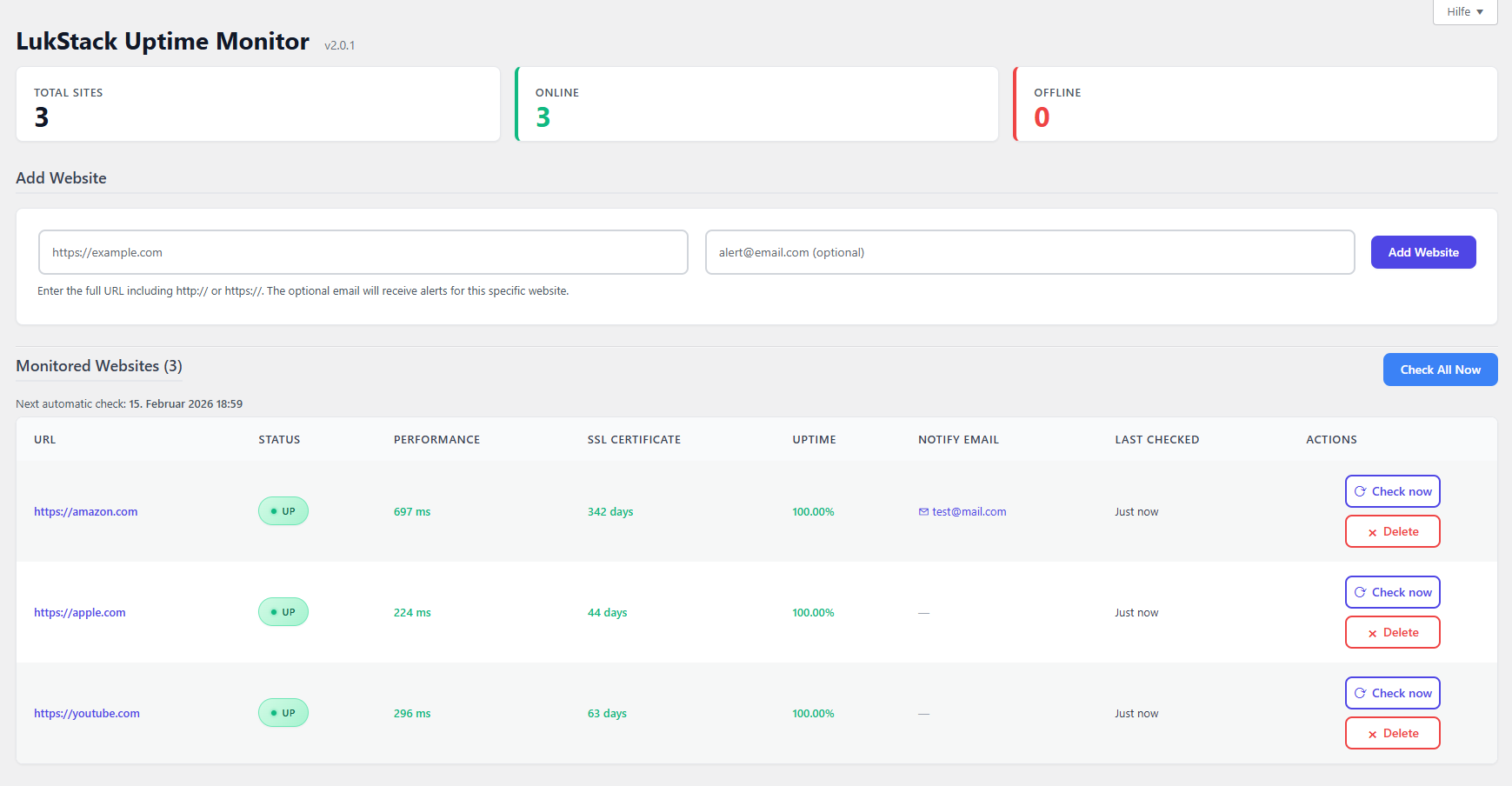
Main dashboard showing all monitored websites with status, response time, and uptime 
Adding a new website to monitor 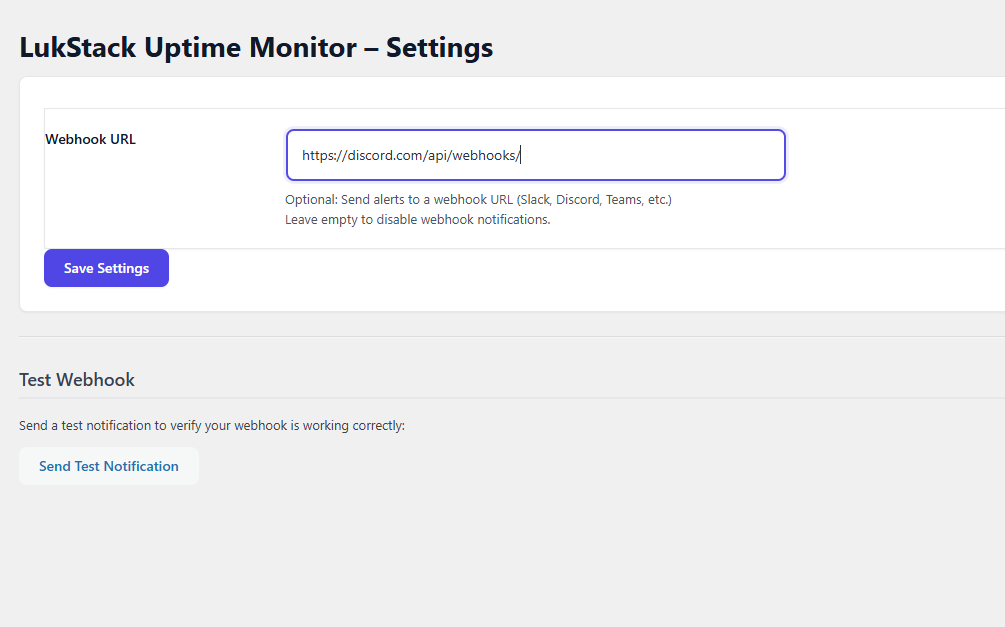
Settings page with webhook configuration 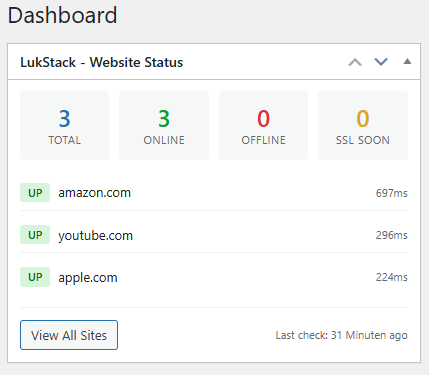
Dashboard widget with quick status overview 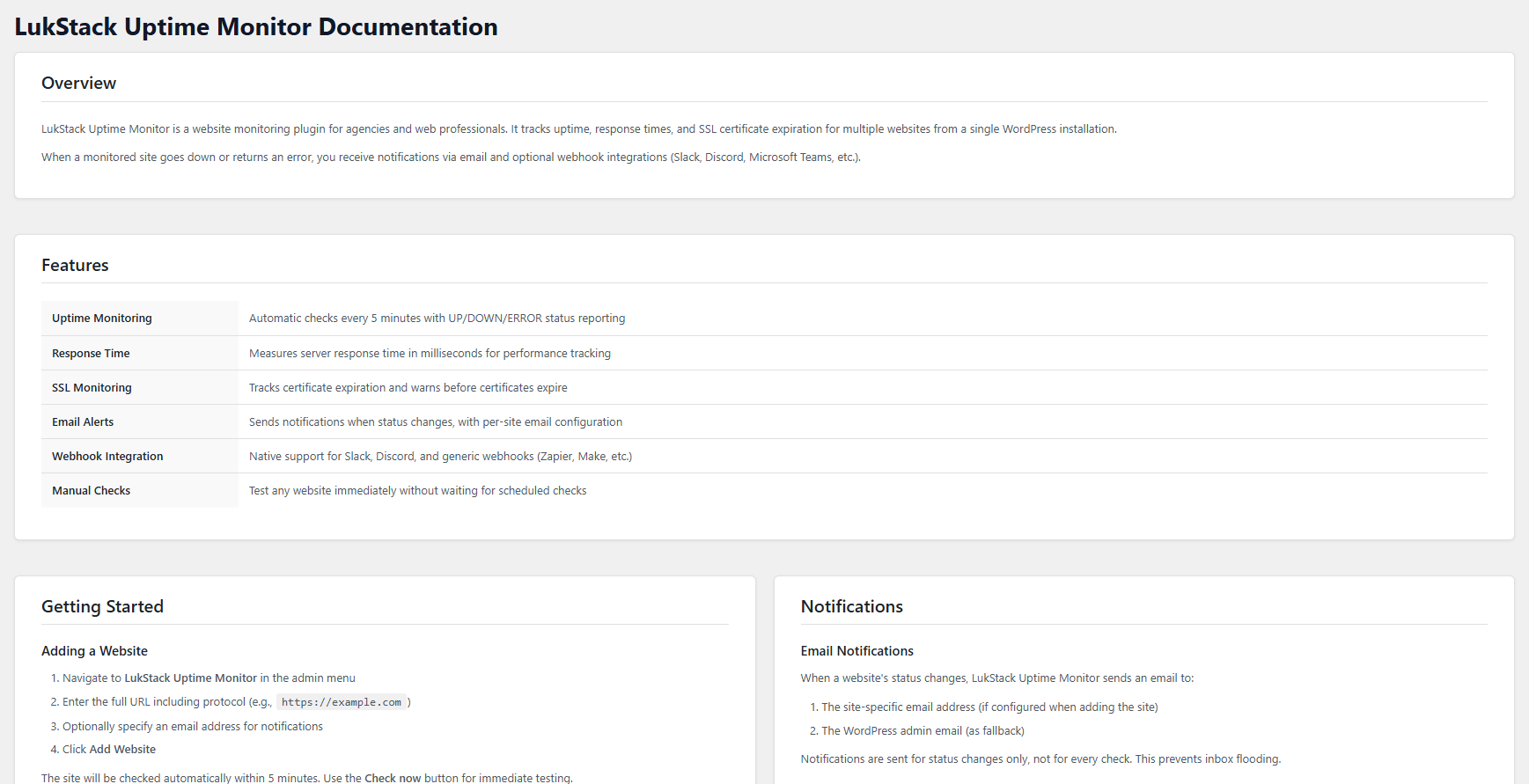
Discord notification example
Εγκατάσταση
Automatic Installation
- Go to Plugins > Add New in your WordPress admin
- Search for “LukStack Uptime Monitor”
- Click “Install Now” and then “Activate”
Manual Installation
- Download the plugin ZIP file
- Go to Plugins > Add New > Upload Plugin
- Select the ZIP file and click “Install Now”
- Activate the plugin
After Activation
- Go to LukStack in the admin menu
- Add your first website URL
- (Optional) Configure webhook notifications in Settings
- Click “Check now” to verify monitoring is working
Συχνές Ερωτήσεις
-
How many websites can I monitor?
-
The free version supports up to 2 websites. The Pro plan supports up to 100 websites.
-
How often are websites checked?
-
The free plan checks every 15 minutes. The Pro plan checks every 5 minutes for faster downtime detection.
-
Can I monitor SSL certificates?
-
SSL certificate monitoring is available in the Pro plan. You will receive warnings when a certificate is within 30 days of expiring, with critical alerts at 7 days.
-
Why does my site show as DOWN when it is actually online?
-
This can happen if:
- Your site blocks automated requests or specific user agents
- A firewall or security plugin is blocking the monitoring server
- The site requires authentication
- There are geographic restrictions
Try adding your monitoring server IP to any whitelist or firewall rules.
-
Will this slow down my WordPress site?
-
No. The monitoring checks run in the background via WordPress Cron and do not affect your site frontend performance.
-
Can I monitor non-WordPress sites?
-
Yes. LukStack Uptime Monitor can monitor any publicly accessible website, regardless of the platform.
-
How do I set up Slack notifications?
-
- Create an Incoming Webhook in your Slack workspace
- Copy the webhook URL
- Paste it into LukStack > Settings > Webhook URL
- Click “Send Test Notification” to verify
-
How do I set up Discord notifications?
-
- Go to your Discord server settings
- Navigate to Integrations > Webhooks
- Create a new webhook and copy the URL
- Paste it into LukStack > Settings > Webhook URL
-
Why are automatic checks not running?
-
WordPress Cron only runs when someone visits your site. If your site has low traffic, checks may be delayed. For reliable monitoring, set up a real server cron job. See the Help page in the plugin for instructions.
-
Can I monitor localhost or internal sites?
-
No. For security reasons, localhost (127.0.0.1) and private IP ranges are blocked from monitoring.
-
Does this plugin send any data externally?
-
The plugin makes outbound requests to:
- The websites you choose to monitor (to check their status)
- Your configured webhook URL (to send notifications)
- Freemius servers for license management (opt-in only)
No data is sent to the plugin developer directly.
Κριτικές


Συνεισφέροντες & Προγραμματιστές
“LukStack Uptime Monitor” είναι λογισμικό ανοιχτού κώδικα. Οι παρακάτω έχουν συνεισφέρει στη δημιουργία του.
Συντελεστές
Μεταφράστε το “LukStack Uptime Monitor” στην γλώσσα σας.
Ενδιαφέρεστε για την ανάπτυξη;
Περιηγηθείτε στον κώδικα, ανατρέξτε στο αποθετήριο SVN ή εγγραφείτε στο αρχείο καταγραφής αλλαγών ανάπτυξης μέσω RSS .
Σύνοψη αλλαγών
2.1.1
- Fixed Freemius SDK configuration for WordPress.org compliance
- Full internationalization (i18n) for all admin pages, settings, and help documentation
- Fixed deprecated current_time() usage in dashboard widget
- Fixed duplicate bulk-check event handler causing double AJAX calls
- Improved JavaScript localization for settings and admin scripts
2.1.0
- Added Freemius SDK integration for license management and opt-in usage analytics
- Added Pro plan with 5-minute check interval, SSL monitoring, performance tracking, and up to 100 websites
- Free plan now supports up to 2 websites with 15-minute check interval
- Added deactivation feedback dialog to better understand user needs
- Improved uninstall handling via Freemius after_uninstall hook
2.0.2
- Fixed critical timezone mismatch causing monitoring checks to run every ~70 minutes instead of every 5 minutes
- Fixed XSS vulnerability in webhook test response handling
- Improved SSRF protection with DNS rebinding prevention
- Fixed database format string mismatch in status update function
- Improved SQL security with prepared statements and esc_like() for all queries
- Removed redundant nonce/capability checks in AJAX helper function
- Consolidated statistics queries from 5 separate queries into 1 for better performance
2.0.1
- Added Dashboard Widget for quick website status overview
- Improved responsive design with 3 breakpoints (1024px, 782px, 600px)
- Improved mobile card-style table layout
- Improved cron locking with atomic database-based approach
- Improved code quality (variable naming, CSS organization)
2.0.0
- Initial public release
- Uptime monitoring with automatic intervals
- Response time tracking
- SSL certificate expiration monitoring
- Email notifications for status changes
- Webhook support for Slack, Discord, and generic endpoints
- Per-site notification email configuration
- Manual check functionality
- Bulk check all sites
- Uptime percentage tracking
- Comprehensive help documentation
- Full internationalization support