
Περιγραφή
Pazienza Booking adds a fully integrated online booking form to your WordPress site, connected to Pazienza — the all-in-one management platform for professionals and small studios.
GitHub: https://github.com/PazienzaApp/pazienza-booking
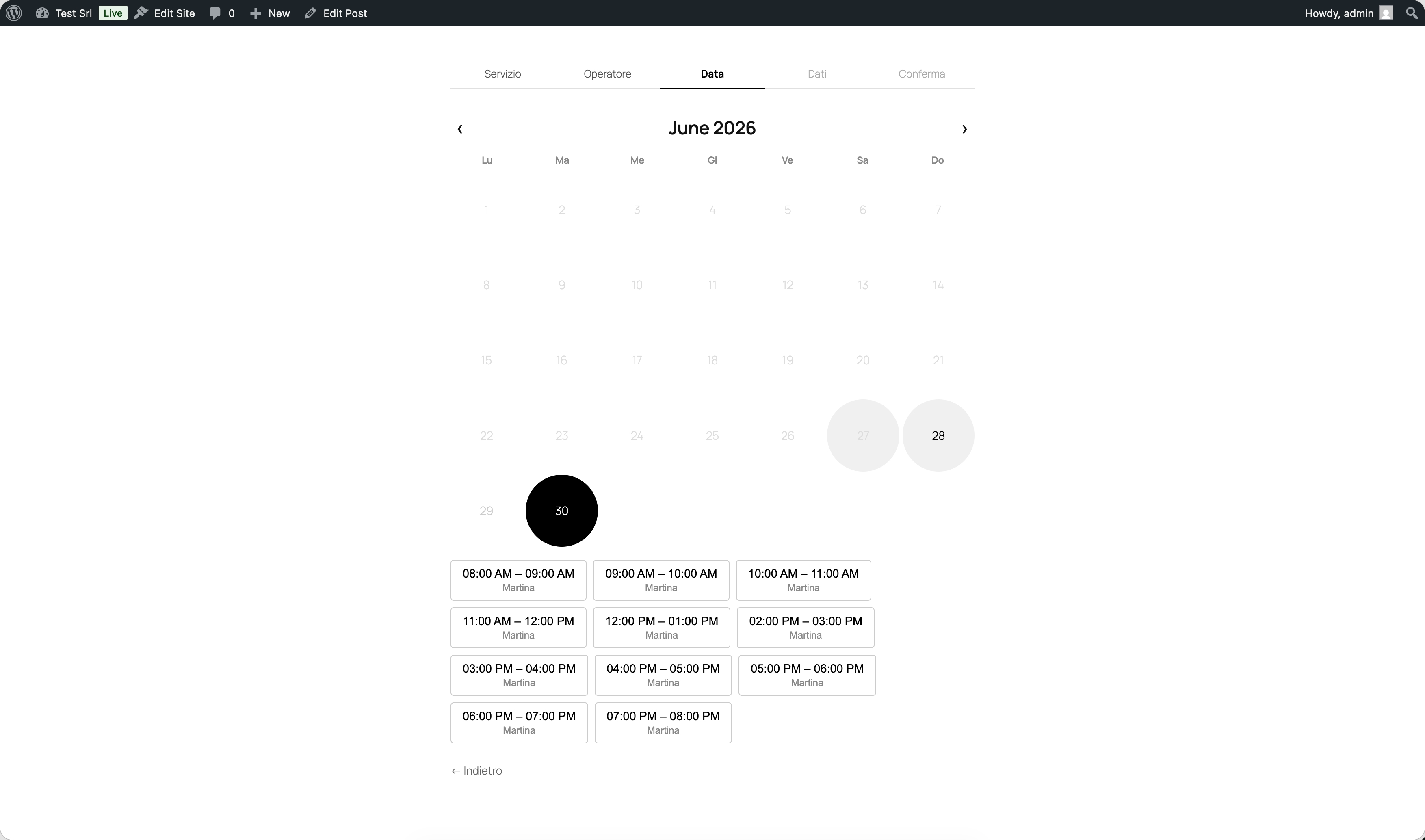
Your clients can book appointments independently: they choose the service, the operator (optional), the date, and an available time slot — all directly on your website.
Key Features
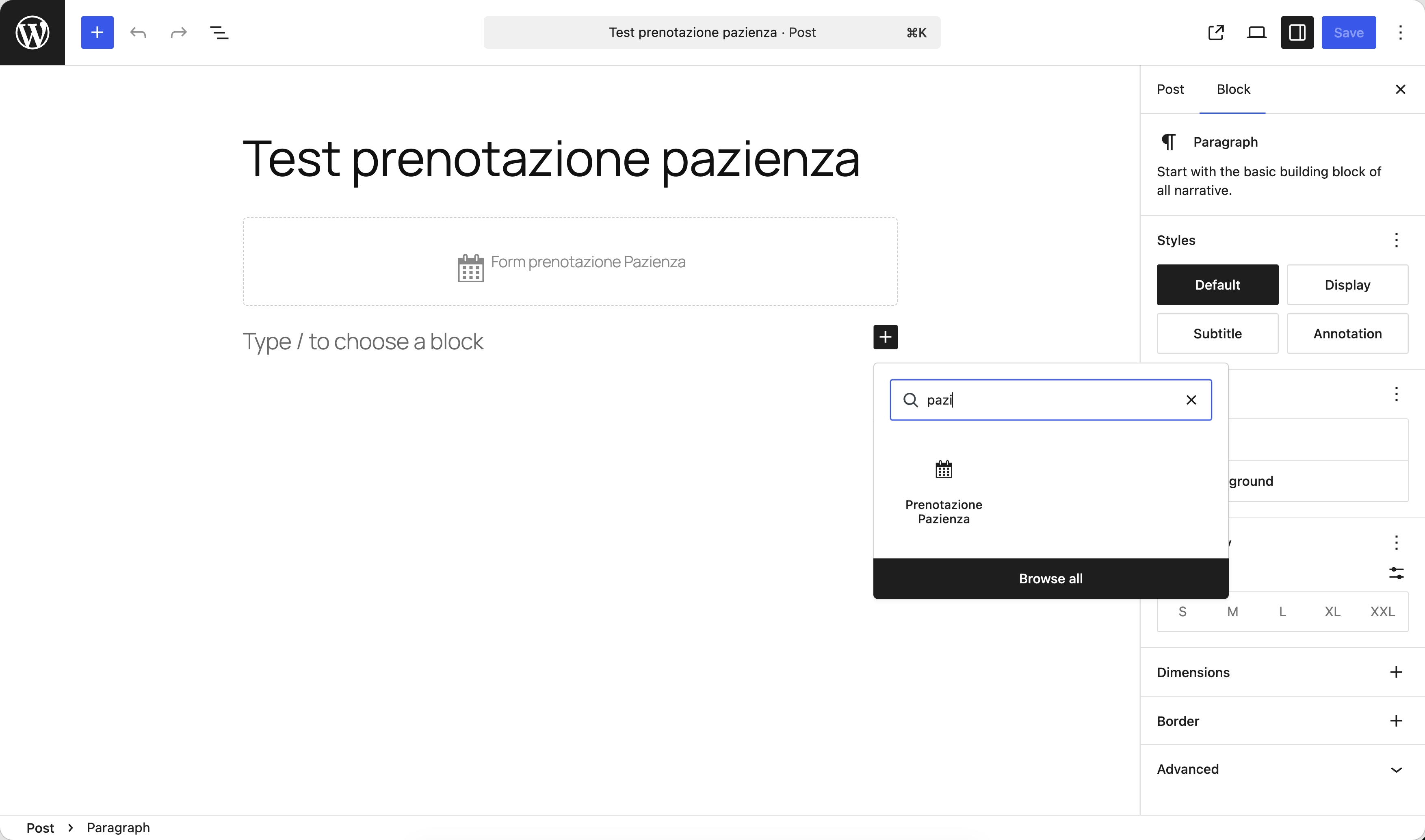
- Gutenberg Block — Insert the booking form on any page with a single click in the block editor.
- Real-time availability — Time slots are always in sync with the Pazienza calendar. Double bookings are automatically prevented.
- Service and operator selection — Clients can choose the service and, if configured, their preferred operator or resource.
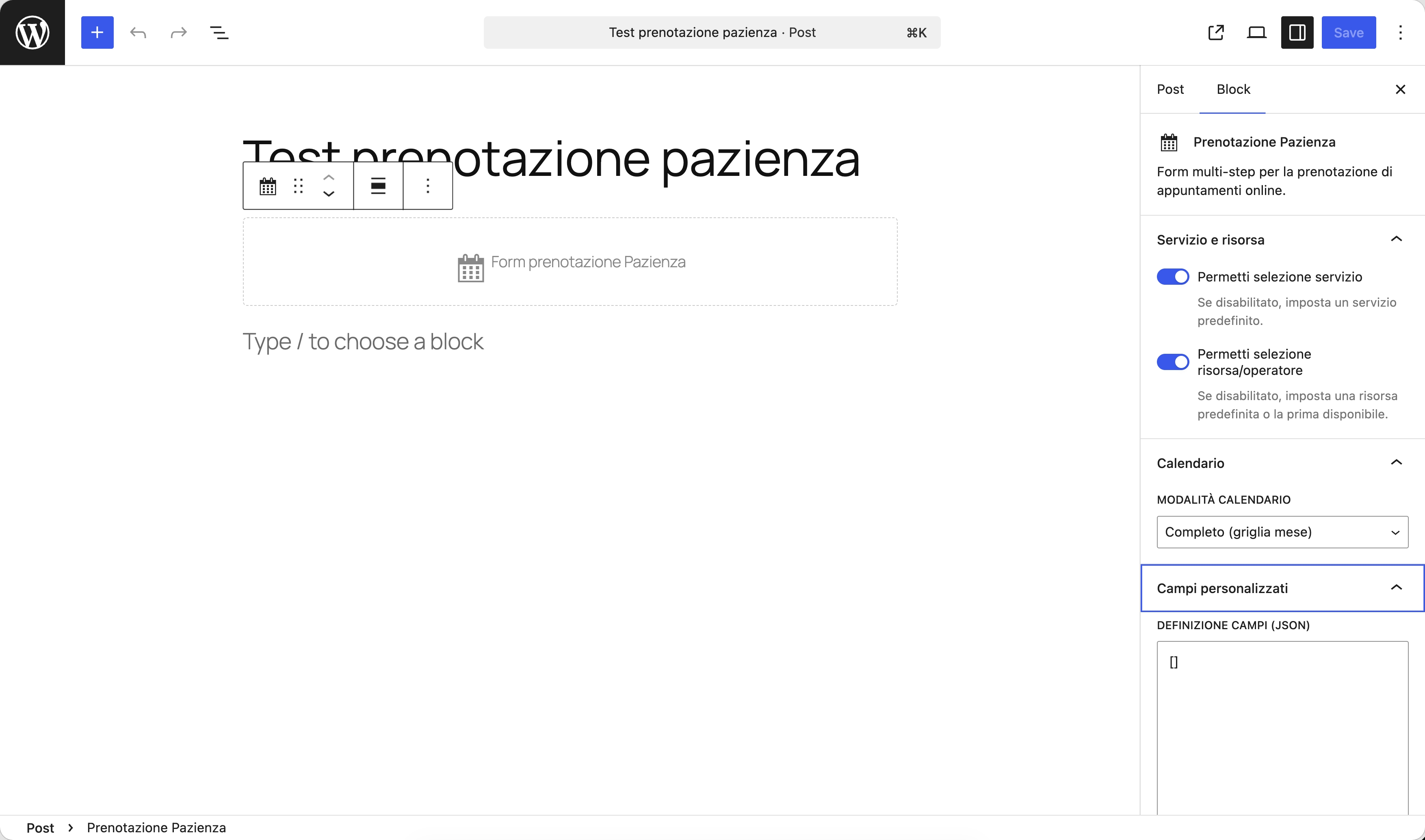
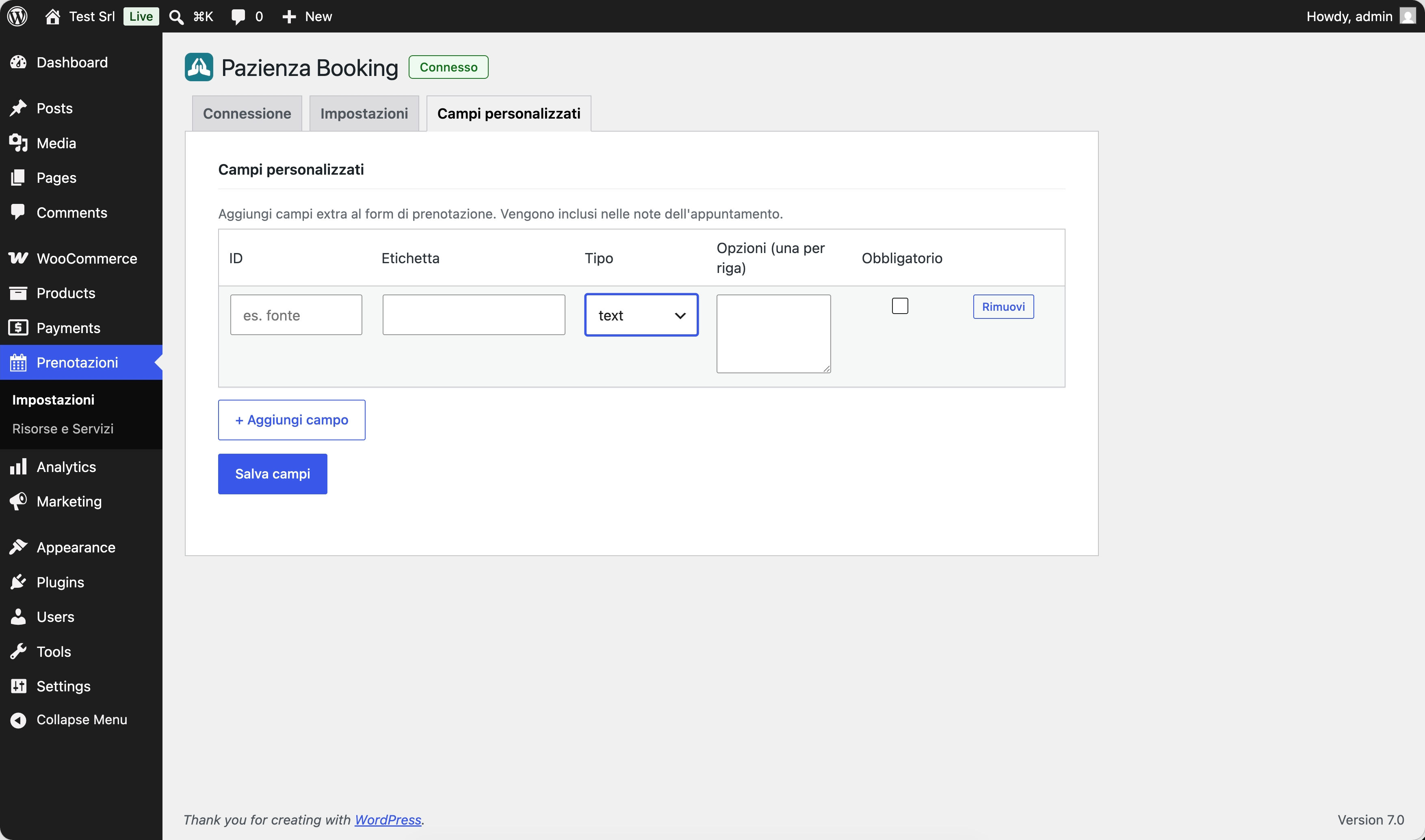
- Custom fields — Add custom questions to the booking form (e.g. “Briefly describe your issue”).
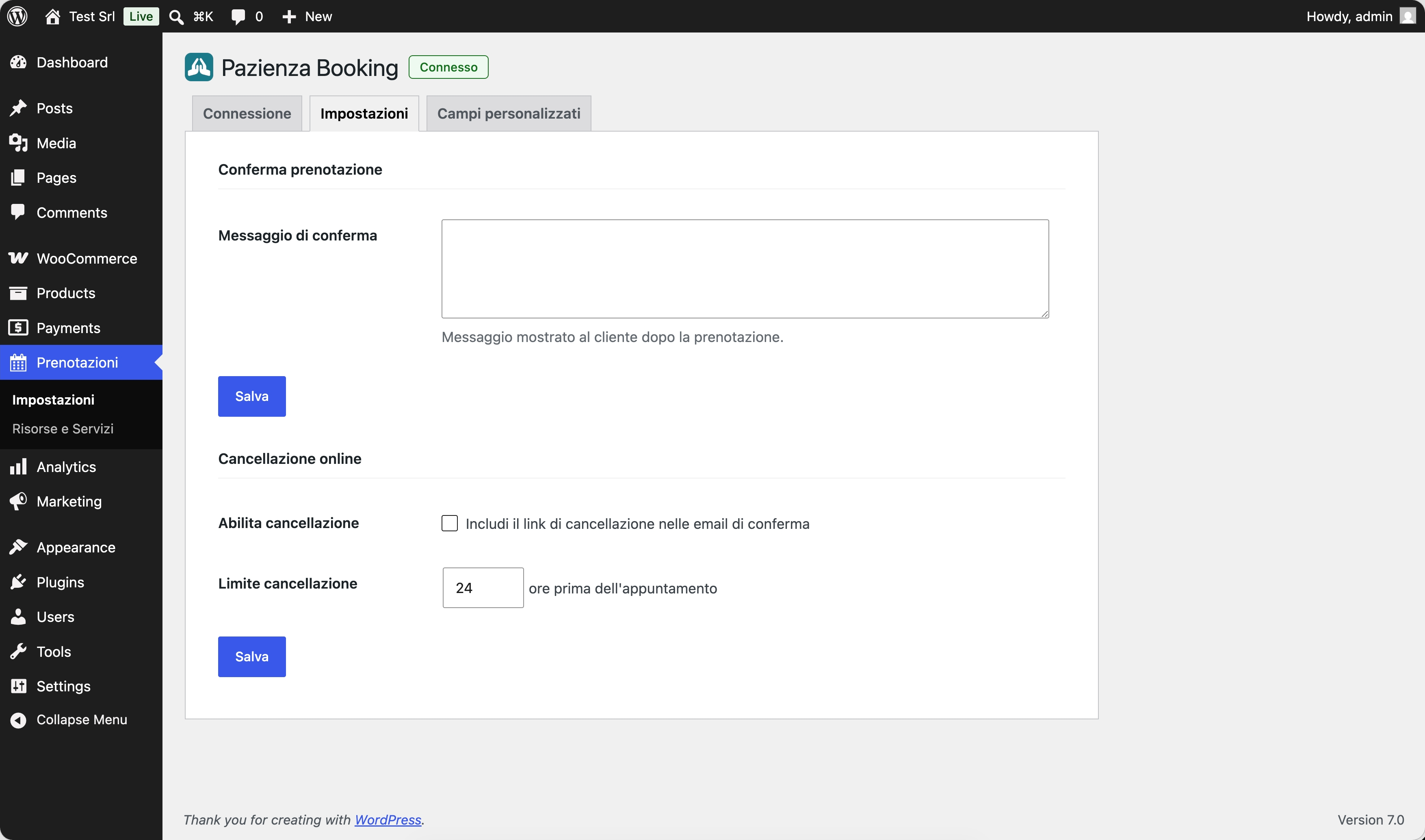
- Automatic confirmation email — The client receives an email with a booking summary and, optionally, a cancellation link.
- Online cancellation — Enable a time-limited cancellation link so clients can cancel within the window you configure.
- My Account integration — If WooCommerce is active, logged-in customers find their bookings (upcoming and past) in the “My Account” area.
- No-code setup — Fully visual configuration, no theme modifications required.
Requirements
- Active Pazienza account (plans & pricing)
- Pazienza Core plugin active
- WordPress 6.5 or later, PHP 8.1 or later
External Service
This plugin communicates with the Pazienza Cloud API (https://www.pazienza.app) to retrieve availability slots, create bookings, and manage customer records. An active Pazienza account is required.
Data transmitted includes: client name, email, and phone number; the selected service and time slot; any custom fields completed by the client. No data is shared with third parties.
Source Code
The human-readable source code for the compiled Gutenberg block (blocks/booking-form/build/) is available in the blocks/booking-form/src/ directory included in this plugin, and on GitHub:
- Repository: https://github.com/PazienzaApp/pazienza-booking
- Block source:
blocks/booking-form/src/ - Build tool:
@wordpress/scripts(webpack). Runnpm install && npm run buildinsideblocks/booking-form/to regenerate the compiled files.
Στιγμιότυπα
Μπλοκς
Αυτό το πρόσθετο παρέχει 1 μπλοκ.
- Prenotazione Pazienza Form multi-step per la prenotazione di appuntamenti online.
Εγκατάσταση
- Make sure the Pazienza Core plugin is installed and active.
- Install Pazienza Booking via Plugins › Add New, or upload the folder to
/wp-content/plugins/. - Activate the plugin.
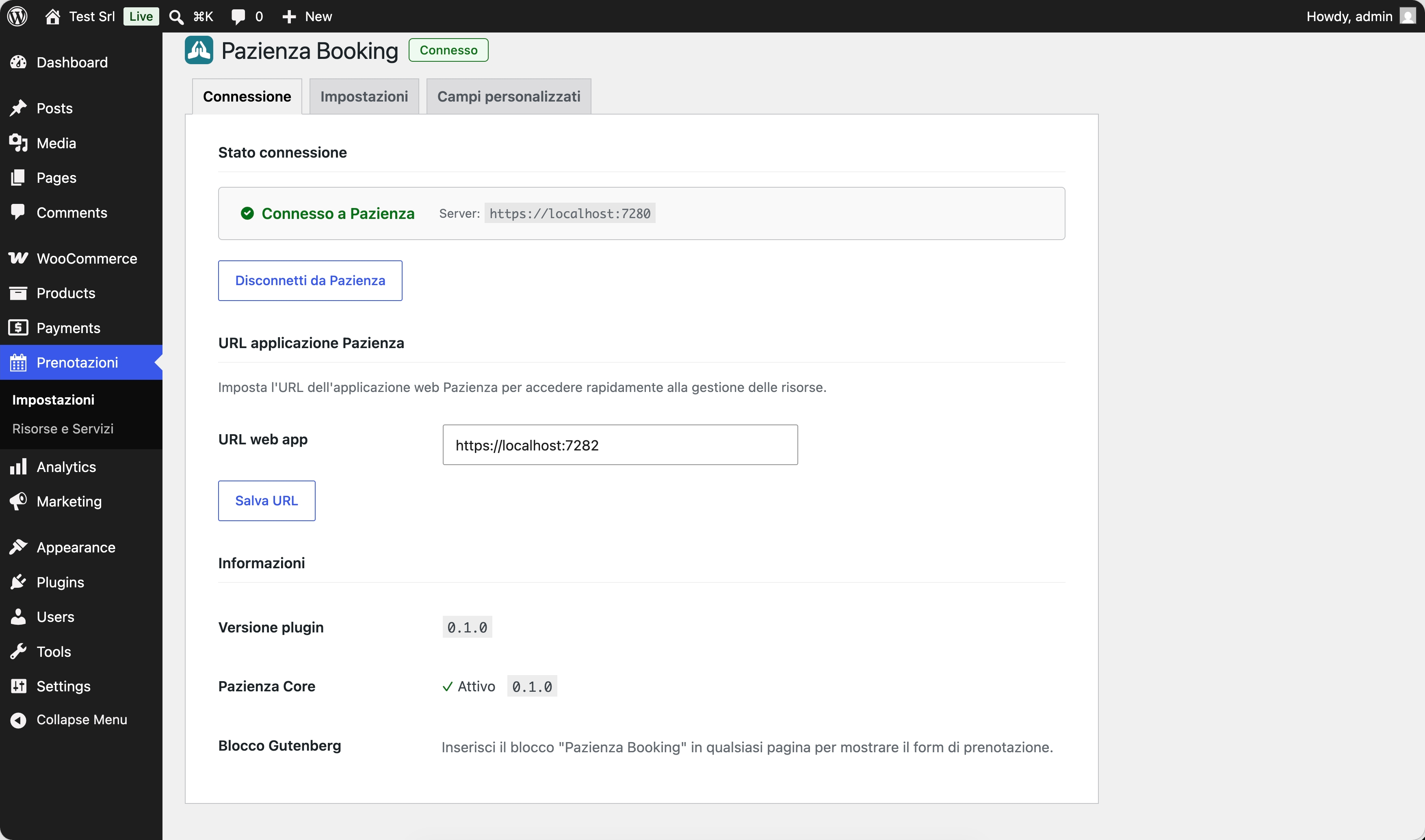
- Go to Pazienza › Booking › Settings and enter your Pazienza instance URL.
- Click Connect with Pazienza to authorise the site via OAuth.
- Edit the page where you want to show the booking form and add the “Pazienza Booking” block from the Gutenberg editor.
Συχνές Ερωτήσεις
-
Do I need a Pazienza account to use this plugin?
-
Yes. The plugin connects to the Pazienza platform via API. Without an active account, the form will not display any services or time slots.
-
Can I customise the appearance of the form?
-
The form inherits your theme’s base colours. You can add custom CSS via the theme customiser. The HTML structure follows Gutenberg block conventions.
-
Is it compatible with WooCommerce?
-
Yes. When WooCommerce is active, a “My Bookings” tab is automatically added to the customer’s “My Account” area, showing upcoming and past bookings with the option to cancel eligible ones.
-
Can I have multiple forms with different configurations on the same page?
-
Yes. You can insert multiple “Pazienza Booking” blocks and configure each independently: default service, default resource, and display mode (with or without operator selection).
-
Does the plugin work with page builders (Elementor, Divi, etc.)?
-
The block is built as a native Gutenberg block. It works out of the box in page builders with Gutenberg block support. For page builders that do not support Gutenberg blocks, a shortcode (
[pazienza_booking]) is planned for a future release. -
How does the online cancellation link work?
-
When you enable the option in settings, the confirmation email includes a unique link with a configurable expiry (hours before the appointment). When the client clicks the link, the booking is removed from Pazienza.
Κριτικές
Δεν υπάρχουν αξιολογήσεις για αυτό το πρόσθετο.
Συνεισφέροντες & Προγραμματιστές
“Pazienza Booking” είναι λογισμικό ανοιχτού κώδικα. Οι παρακάτω έχουν συνεισφέρει στη δημιουργία του.
Συντελεστές
Μεταφράστε το “Pazienza Booking” στην γλώσσα σας.
Ενδιαφέρεστε για την ανάπτυξη;
Περιηγηθείτε στον κώδικα, ανατρέξτε στο αποθετήριο SVN ή εγγραφείτε στο αρχείο καταγραφής αλλαγών ανάπτυξης μέσω RSS .
Σύνοψη αλλαγών
0.1.0
- Initial public release.