

Περιγραφή
Trex Dual Preview adds a one-click PC & smartphone simultaneous preview to the WordPress block editor (Gutenberg) sidebar.
Features
- Open a modal with PC and smartphone previews side by side with one click
- Compare PC (1200-1920px) and SP (320-768px) viewports in real time
- Adjust display width instantly using sliders
- Open a full-screen dual preview in a new tab
- Automatically hides the WordPress admin bar and theme-specific toolbars (e.g. Cocoon)
- Responsive layout that adapts to window resize via ResizeObserver
Security
- Full-screen preview access is protected by wp_verify_nonce() and current_user_can()
- iframes use the sandbox attribute to restrict unnecessary permissions
- All input is sanitized and escaped (absint, sanitize_text_field, esc_url, etc.)
Στιγμιότυπα
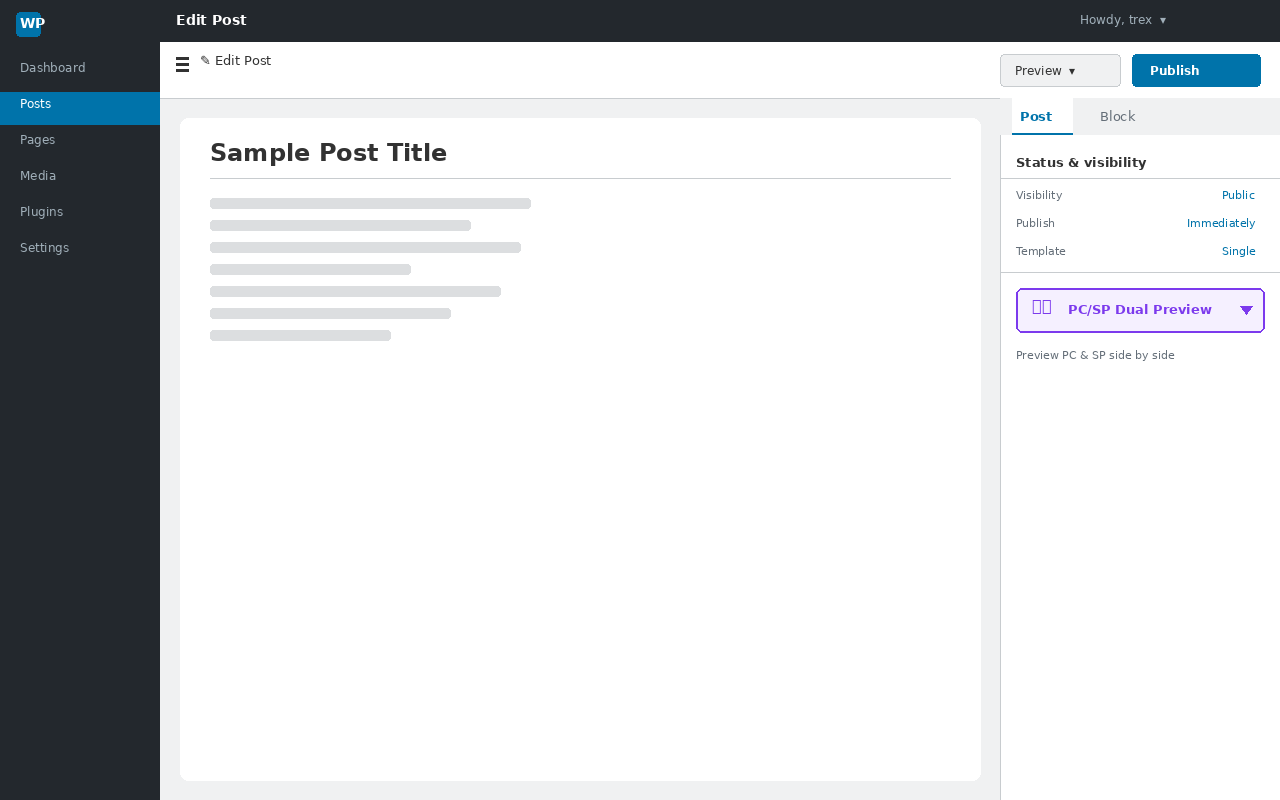
The trigger button in the editor sidebar. 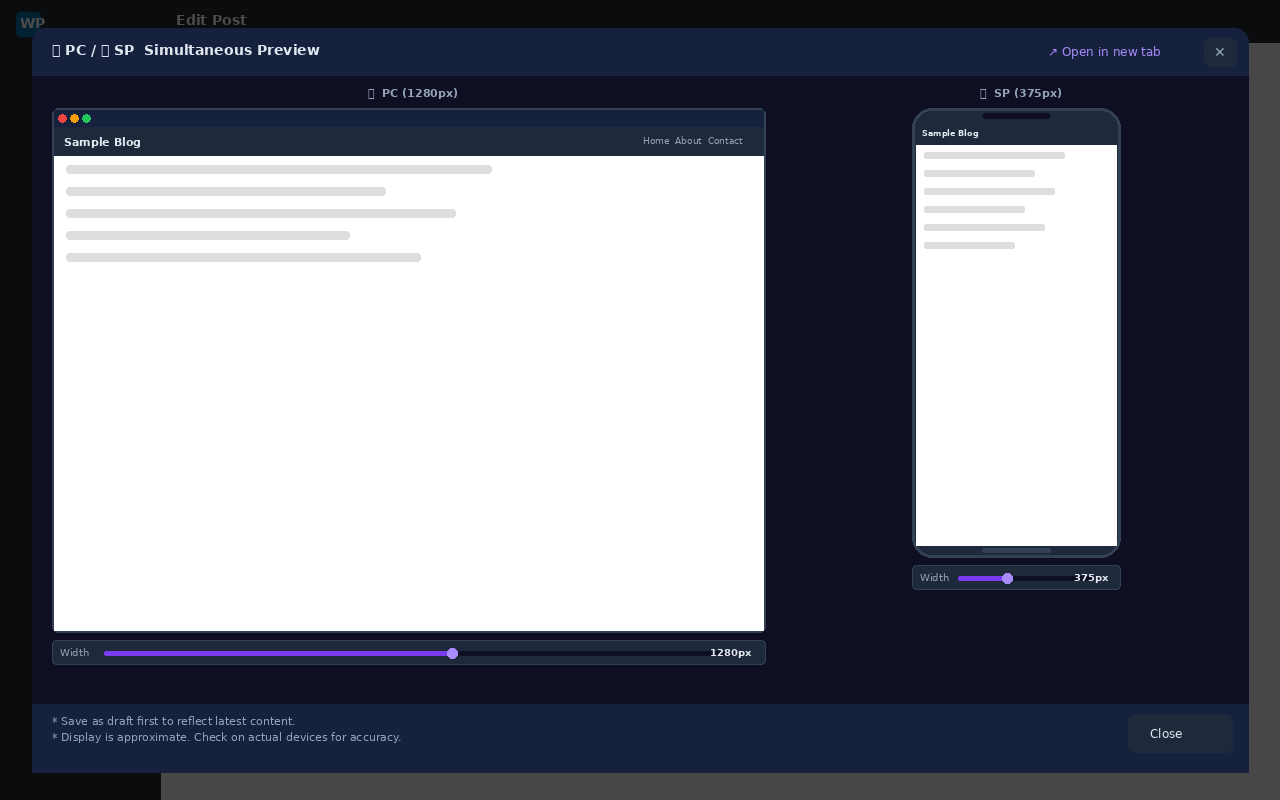
Modal showing PC and SP previews simultaneously (with sliders). 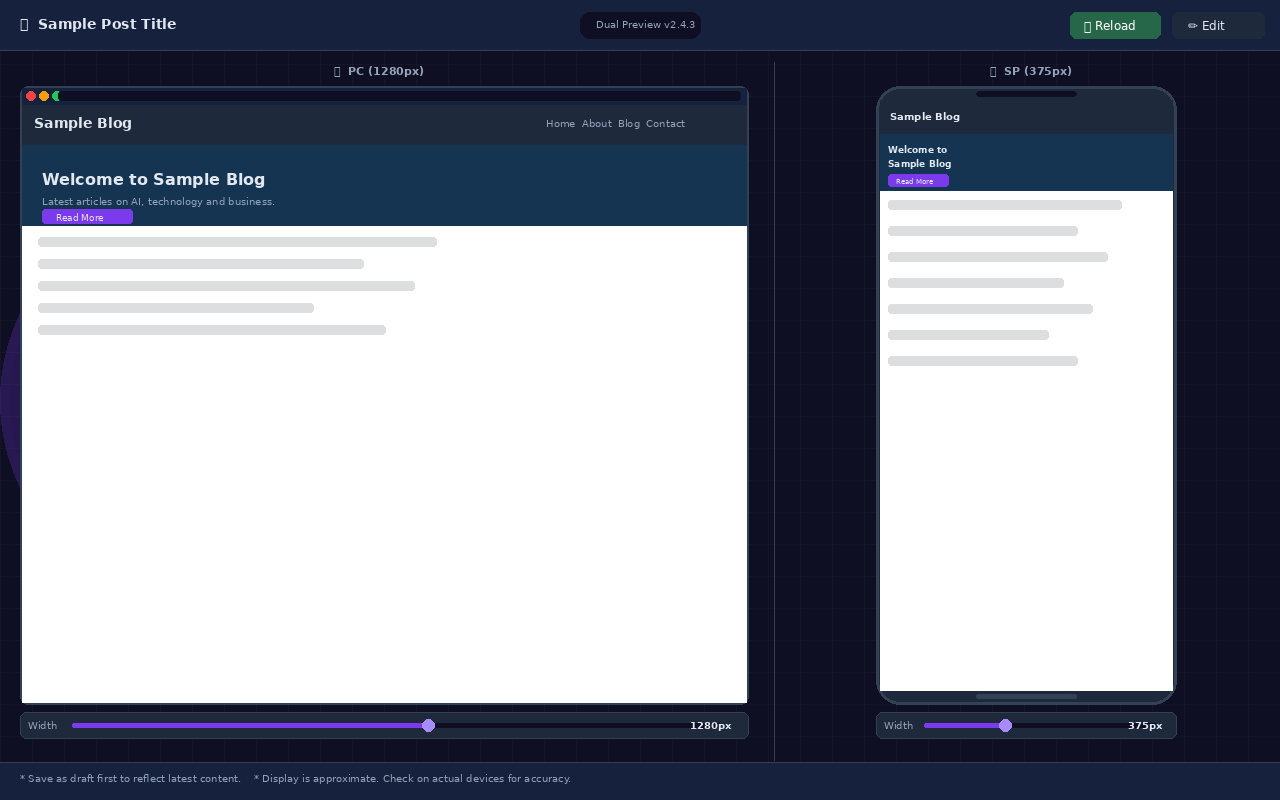
Full-screen dual preview opened in a new tab.
Εγκατάσταση
- Upload the plugin ZIP and activate it from the Plugins menu.
- Open any post or page in the block editor (Gutenberg).
- In the right sidebar, go to the “Post” tab and click the “PC/SP Dual Preview” button.
- Save as a draft first to preview the latest content.
Συχνές Ερωτήσεις
-
The preview is blank.
-
Please save your post as a draft first. Without saving, a preview URL cannot be generated.
-
The admin bar is visible in Cocoon theme.
-
This was fixed in v2.3.2 and later. Please update to the latest version.
-
Is this available to non-administrator users?
-
Yes. Any user with the edit_post capability (Editor, Author, etc.) can use it.
Κριτικές
Δεν υπάρχουν αξιολογήσεις για αυτό το πρόσθετο.
Συνεισφέροντες & Προγραμματιστές
“Trex Dual Preview” είναι λογισμικό ανοιχτού κώδικα. Οι παρακάτω έχουν συνεισφέρει στη δημιουργία του.
Συντελεστές
Μεταφράστε το “Trex Dual Preview” στην γλώσσα σας.
Ενδιαφέρεστε για την ανάπτυξη;
Περιηγηθείτε στον κώδικα, ανατρέξτε στο αποθετήριο SVN ή εγγραφείτε στο αρχείο καταγραφής αλλαγών ανάπτυξης μέσω RSS .
Σύνοψη αλλαγών
2.4.3
- Fix: Remove Plugin URI to avoid conflict with Author URI (WordPress.org submission requirement)
2.4.2
- Add: Usage notes added to modal footer and full-screen page footer (save reminder & display accuracy notice)
2.4.1
- Fix: Apply esc_html() / esc_url() directly at output point to pass Plugin Check (OutputNotEscaped)
- Fix: Updated “Tested up to” to WordPress 6.9
- Fix: Short description and description rewritten in English per WordPress.org guidelines
2.4.0
- Refactor: Full code rewrite with PHPDoc / JSDoc comments
- Refactor: WordPress Coding Standards (WPCS) compliance
- Refactor: JS restructured as IIFE with TDP namespace object
- Add: ARIA attributes for improved accessibility
- Improve: PC preview height now dynamically maximized
- Improve: Full-screen loading overlay fully removed from DOM after transition
2.3.4
- Add: Full-screen loading overlay for new-tab preview
- Fix: Pre-set initial clip width in HTML attribute to eliminate flash
- Fix: Changed initialization timing to DOMContentLoaded
2.3.3
- Change: PC slider range changed to 1200-1920px
2.3.2
- Fix: Removed overly broad CSS selector ([class*=”toolbar”]) from injected styles
- Fix: PC slider minimum changed to 769px (avoids Cocoon breakpoint)
2.3.1
- Change: PC slider minimum changed to 768px
2.3.0
- Improve: PC preview height now dynamically fills the window
2.2.0
- Improve: SP preview height adapts to window height via ResizeObserver
2.1.0
- Add: Real-time width slider for both PC and SP previews
2.0.3
- Change: Author changed to “Pro Engineer Trex”
2.0.2
- Fix: Remove Cocoon toolbar (fixed bottom bar) in full-screen preview
2.0.1
- Fix: Blank iframe in new-tab full-screen preview
2.0.0
- Add: “Open in new tab” full-screen dual preview via template_redirect endpoint
1.0.5
- Initial stable release