
Περιγραφή
An AI chatbot that knows your products, shows them with photos and answers “where is my order?” 24/7
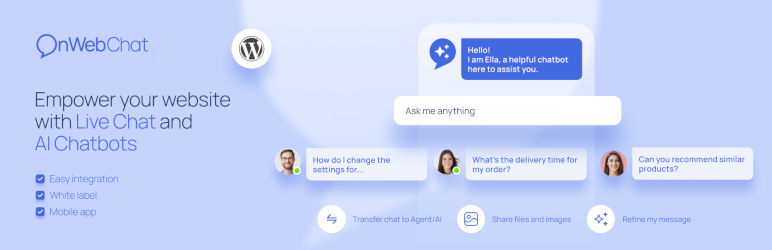
onWebChat adds an AI chatbot to your WordPress site that sells and supports while you sleep. Connect WooCommerce and the chatbot learns your whole catalog on its own. When a shopper asks “do you have wireless headphones under 150?”, it answers with the right products, their prices and stock, and shows them as product cards with photos right in the chat, each one a click away from the product page. Ask about an order and it replies with the live status and tracking notes from WooCommerce.
No store? The same chatbot learns from your website pages, files and your own questions and answers, so agencies, service businesses, hotels and SaaS sites get instant answers too. And when a visitor wants a person, a human live chat with mobile apps is one click away.
🎁 Start free: every new account gets a 14-day free trial of the AI agent with 50 AI credits, no credit card required. The live chat stays free forever. See plans
🖼️ Product Cards with Photos in the Chat (New)
Recommendations that look like a shop, not a wall of text. When the AI chatbot suggests products from your catalog, the chat shows them as a strip of cards with the product photo, name, short description and price. Shoppers tap a card and land on the product page. Out of stock items are shown greyed out, so nobody is sent to a product they cannot buy.
- Photos come from your WooCommerce product images, no extra upload
- Cards update on their own when you change a photo, a price or the stock
- Works on desktop and mobile, in the same chat widget
🛒 Your WooCommerce Catalog, Learned Automatically

Press Sync once and the AI chatbot learns every product: names, descriptions, prices, sale prices, stock, brands, categories, tags and attributes such as size or color.
- Zero maintenance: every product you add, edit or delete syncs on its own
- Real-time stock and prices: the chatbot never recommends what is sold out, and quotes the price the shopper sees, tax included
- Built for big stores: pick which categories to sync, up to 15,000 products
- Real answers with real links: “Do you have this in blue?” gets the matching products and their links, not a generic reply
- Browse the whole catalog: the chatbot can list products by category, price range and availability, with a “see all matching products” link to your shop
No manual training. No copy-paste. No CSV uploads.
📦 “Where Is My Order?” Answered Instantly
The question that fills every support inbox, answered in seconds. When a shopper asks about their order, the AI chatbot replies with live WooCommerce data: current status, shipping method and the order notes with tracking updates.
Signed-in customers do not even type an order number. The plugin confirms who they are and the chatbot lists their recent orders. Guests give the order number and the email of the order, nothing else.
- Fewer repetitive “where is my package?” tickets
- Correct answers at 3 PM or 3 AM, in the shopper’s language
- Identity or order ownership is verified before any order detail is shown
🤖 An AI Chatbot That Sets Itself Up
Give it your website address and the chatbot reads your pages and prepares its own training data in about two minutes. Add files, product feeds or your own questions and answers whenever you like.
- Any language, typos included: answers in the visitor’s language whatever language your content is in
- Answers only from your data: no made-up prices, policies or promises
- Lead capture: asks for the visitor’s name and email when it makes sense and saves the lead
- Handover to a human: when the chatbot is unsure, it offers a live agent and alerts you
- AI Analytics: a weekly report of what visitors asked, what the chatbot could not answer, and what to fix
💬 Live Chat for the Moments That Need a Person
The chatbot handles the routine questions. You close the sales.
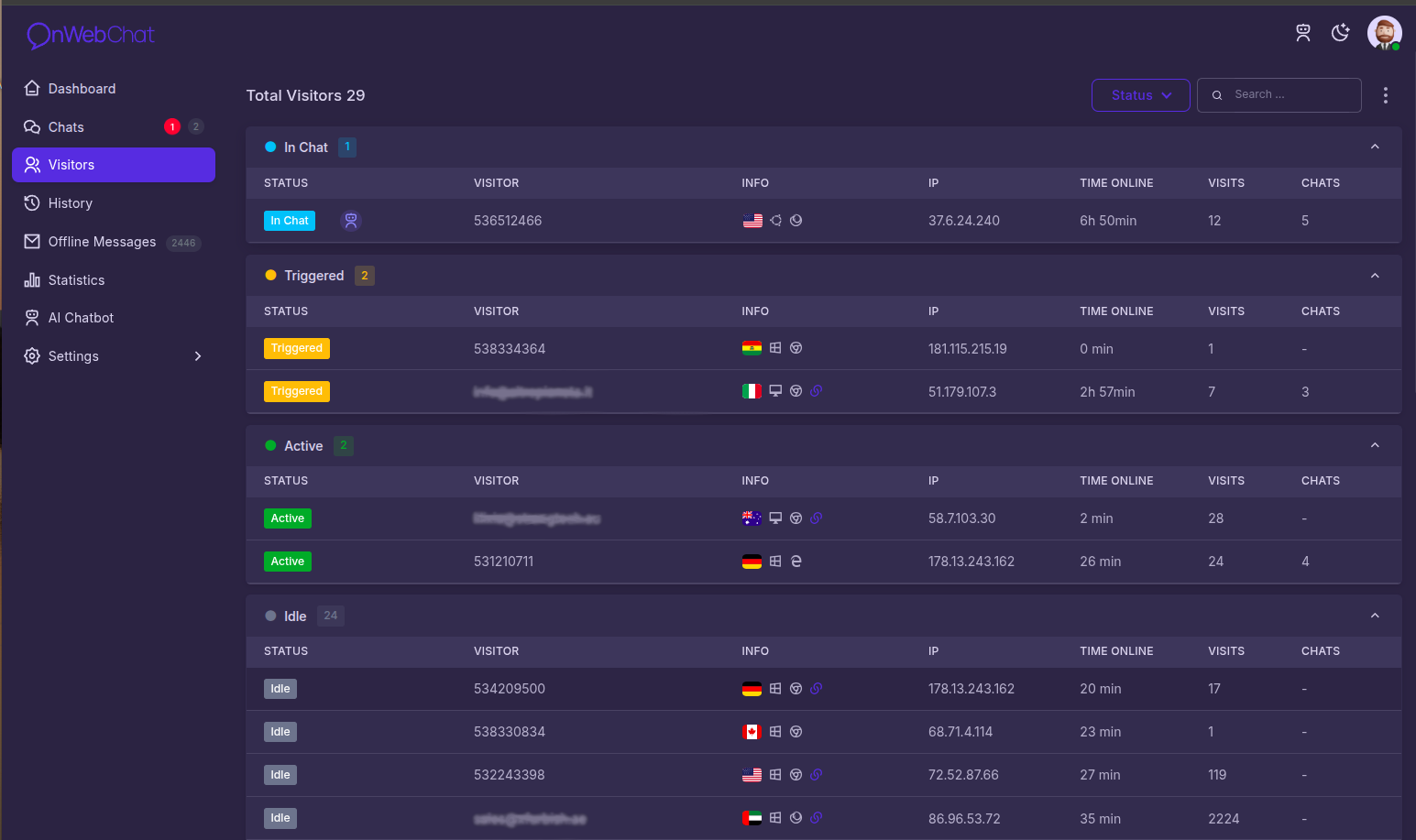
- Real-time visitor monitoring: see who is on your site, which page they read and where they are from
- Chat triggers: invite hesitating visitors to chat at the right moment, including when they are about to leave
- Typing preview: see what visitors type before they hit send
- Chat translation: talk to visitors in any language, messages are translated both ways
- Mobile apps: answer from anywhere with the iOS and Android apps
Key Features
- AI Chatbot 24/7: instant answers from your website, files and product catalog, in any language
- Product Cards with Photos: recommended products shown as cards with image, name and price, linked to your shop
- Automatic WooCommerce Product Sync: names, descriptions, prices, stock, brands, categories and attributes, kept current on every change
- Category Sync for Large Catalogs: choose which categories to sync, up to 15,000 products
- Real-Time Stock and Price Sync: sale prices and stock changes reach the chatbot at once
- AI Order Status Lookup: live order status, shipping method and tracking notes in the chat; signed-in shoppers need no order number
- Two-Minute Setup: the chatbot trains itself from your website
- AI Lead Capture: collects name and email in the conversation
- Handover to Agents: the chatbot passes the chat to a person when needed
- AI Analytics: weekly report on questions, gaps and fixes
- Live Chat with Visitor Monitoring: real-time activity with geolocation
- Chat Triggers: timed, page-based and exit-intent invitations
- Chat Translation: both directions, in real time
- AI Assist for Agents: fix grammar, refine a reply or draft one from the chatbot’s knowledge
- Customizable Chat Widget: your colors, texts, avatar and position; show it on selected pages or to signed-in users only
- Department Routing and Agent Transfers
- Offline Email Form for when nobody is online
- File Sharing, Chat Ratings, Typing Preview
- Mobile Apps: iOS and Android
- Webhooks and JavaScript API for your own integrations
- GDPR Compliant: SSL-secured, EU AI Act transparency badge on the widget
What Your Shoppers Get
- Product suggestions with photos and prices, ready to click
- Live order tracking inside the chat, day or night
- Answers in their own language, typos and all
- A human agent one click away when they want one
Live in Under 60 Seconds
- Εγκαταστήστε το πρόσθετο onWebChat
- Δημιουργήστε δωρεάν τον λογαριασμό σας
- Συνδέστε τον λογαριασμό σας στις ρυθμίσεις του πρόσθετου.
- Your chat widget is live, no coding required
Run WooCommerce? Open the “Products & Orders” tab, press Sync, and your AI chatbot knows your store within minutes, product photos included.
Σημείωση: Αν αντιμετωπίζετε πρόβλημα σύνδεσης μέσω email/συνθηματικού (π.χ. λόγω firewall), μπορείτε να χρησιμοποιήσετε το Chat ID σας από τον πίνακα ελέγχου του onWebChat.
Questions? Chat with our AI or our team on onwebchat.com, we use onWebChat ourselves, of course.
Στιγμιότυπα


Εγκατάσταση
1. Install the Plugin: Search for “onWebChat” in your WordPress plugin directory and activate. 2. Sign Up: Create a free account at onWebChat.com. 3. Connect: Enter your email and password (or Chat ID) in the plugin settings. 4. Go Live: Your chat widget appears on your site immediately, no setup wizard, no code. 5. (WooCommerce) Sync your products: Open the “Products & Orders” tab and press Sync. The AI chatbot learns your catalog, shows product cards with photos and answers order status questions. Automatic sync switches on with the first sync, so later changes reach the chatbot on their own.
Συχνές Ερωτήσεις
-
Είναι δωρεάν το onWebChat;
-
Yes. Signing up is free and no credit card is required. The Free plan includes live chat with unlimited chats, triggers, visitor monitoring and the mobile apps. New accounts also get a 14-day free trial of the AI agent plan with 50 AI credits, so you can test the full AI chatbot, product cards and order lookup on your own store.
-
Does the AI chatbot show product images?
-
Yes. When the chatbot recommends products from your synced WooCommerce catalog, the chat shows them as cards with the product photo, name, a short description and the price, each linked to the product page. The photos are your WooCommerce product images, sent by the plugin during sync. Update to version 3.10.0 or later and run a sync once so your existing products get their photo.
-
How does the WooCommerce product sync work?
-
Open the “Products & Orders” tab of the plugin settings and press Sync. The AI chatbot learns your product catalog: names, descriptions, prices, stock, brands, categories, attributes, links and photos. From then on products sync automatically when added, updated or deleted, and you can run a full sync again at any time. Stores with large catalogs choose which categories to sync, up to 15,000 products.
-
Can the chatbot answer “where is my order?”
-
Yes. With WooCommerce connected, the AI chatbot answers order status questions in real time using live order data: current status, shipping method and the order notes with tracking updates. Signed-in customers do not even need to type an order number, the plugin securely confirms their identity and the chatbot lists their recent orders. Guests give the order number and the email of the order.
-
Do I need WooCommerce to use onWebChat?
-
No. onWebChat is a complete AI chatbot and live chat for any WordPress site. The chatbot learns from your website pages, uploaded files and your own questions and answers. Product sync, product cards and order lookup are a bonus for WooCommerce stores.
-
How does the AI chatbot set itself up?
-
Give it your website address and it reads your pages, writes its own training data and is ready to test in about two minutes. You review what it learned, add files or answers, and switch it on. You can test it for free before it goes live.
-
Κατανοεί το AI πολλές γλώσσες;
-
Yes. The AI chatbot understands and answers in the visitor’s language, whatever language your training data or products are written in. It handles typos and informal phrasing naturally.
-
Does the chatbot make things up?
-
No. It answers only from your training data and product catalog. When it does not know, it says so and can offer a live agent instead, and it alerts you so you can add the missing information.
-
Πώς τιμολογείται το AI chatbot;
-
The AI agent plan includes 200 AI conversations per month plus one Pro seat. It is available on its own or as an add-on to the Pro live chat plan. One AI credit covers one whole conversation, no matter how many messages it has, and you can buy more credits at any time. Current prices are on the pricing page.
-
Is my store data safe?
-
Yes. All communication between your site and onWebChat is secured with HMAC-SHA256 authentication and a unique secret key, on top of SSL encryption. Product sync transmits only catalog data (name, description, URL, price, stock status, brand, attributes, image URL). Order details are never stored on our servers: they are fetched live, only when a customer asks, and only after the customer’s identity or order number has been verified.
-
Μπορώ να εμφανίσω ή να αποκρύψω το παράθυρο συνομιλίας σε συγκεκριμένες σελίδες;
-
Yes. You control exactly which pages show the chat widget from the plugin settings. You can also show the widget only to signed-in users.
-
Μπορώ να αποκρύψω το παράθυρο chat όταν είμαι εκτός σύνδεσης;
-
Yes: deselect “Use Offline Form” in your dashboard to hide the widget when no agent and no chatbot is available.
-
Υπάρχει επιλογή white-label;
-
Yes. Paid plans let you remove the onWebChat logo from the chat widget.
-
Μπορώ να παρακολουθώ τη δραστηριότητα επισκεπτών σε πραγματικό χρόνο;
-
Yes. The real-time monitoring dashboard shows who is on your site, their location, the pages they visited and more, so you can start a conversation at the right moment.
-
Μπορούν οι συνομιλίες να μεταφερθούν μεταξύ εκπροσώπων;
-
Yes. Active conversations can be transferred to any available agent, or handed from the chatbot to an agent, at any time.
-
Μπορώ να προσκαλέσω επισκέπτες σε συνομιλία;
-
Yes. Use automated chat triggers based on time on page, pages visited or exit intent, or invite any visitor manually from the monitoring dashboard.
-
Πόσο ασφαλές είναι το onWebChat;
-
All chat data is encrypted with SSL. Store integrations use HMAC-SHA256 authentication. onWebChat is fully GDPR compliant and the widget carries the EU AI Act “AI” badge while the chatbot is talking.
-
Ποιες γλώσσες υποστηρίζονται στον πίνακα ελέγχου;
-
The dashboard supports English, Swedish, German, French, Italian, Spanish, Portuguese, Slovenian, Greek and Turkish. The chat widget texts can be fully customized in any language.
-
I can’t connect with my email and password, what should I do?
-
Αν η σύνδεσή σας είναι αποκλεισμένη (για παράδειγμα, από firewall ή περιορισμό διακομιστή), χρησιμοποιήστε το Chat ID σας. Μπορείτε να το βρείτε στον πίνακα ελέγχου του onWebChat ή στο email εγγραφής σας.
Κριτικές


Συνεισφέροντες & Προγραμματιστές
“AI Chatbot for WooCommerce & Live Chat – onWebChat” είναι λογισμικό ανοιχτού κώδικα. Οι παρακάτω έχουν συνεισφέρει στη δημιουργία του.
Συντελεστές
Το “AI Chatbot for WooCommerce & Live Chat – onWebChat” έχει μεταφραστεί σε 6 γλώσσες. Ευχαριστούμε τους μεταφραστές για τις συνεισφορές τους.
Μεταφράστε το “AI Chatbot for WooCommerce & Live Chat – onWebChat” στην γλώσσα σας.
Ενδιαφέρεστε για την ανάπτυξη;
Περιηγηθείτε στον κώδικα, ανατρέξτε στο αποθετήριο SVN ή εγγραφείτε στο αρχείο καταγραφής αλλαγών ανάπτυξης μέσω RSS .
Σύνοψη αλλαγών
3.10.0
- New: product cards in the chat. When your AI chatbot recommends products from your synced catalogue, the chat widget now shows them as small cards with the product photo, name and price, linking to the product page. The sync sends the WooCommerce catalogue thumbnail of each product (HTTPS shops get HTTPS links, file names in any alphabet are supported); run a sync after updating so your already synced products get their photo. A photo you remove from a product disappears from its card on the next sync
- Change: running a product sync now also switches on “Enable Product Sync” (automatic sync), so later edits, stock changes and images reach your chatbot on their own. Until now a store that pressed Sync without ticking the box synced once and then went stale
- Change: the WooCommerce tab of the plugin settings is now called “Products & Orders”, the name says what it holds (product sync for the AI chatbot and the order status lookup)
- Fix: product, category, brand and tag names that contain “&” or quotes were synced HTML-escaped (“Bags & Belts”). They are now sent as plain text, so the chatbot and the product cards show the real name
- Tested with WordPress 7.1 and the current WooCommerce release
3.9.3
- Fix: after syncing selected categories, the categories stayed ticked only if you had picked categories before. On a shop that had synced everything (or nothing) the selection was dropped, so reopening the tab showed no category ticked
- Fix: the “In your AI training data” line could claim your whole catalogue when only the categories you picked had been synced, and it kept claiming it after everything had been removed. It now reports the whole catalogue, the categories you picked, or nothing yet, and stays quiet when your site was set up before this version and it cannot tell
- Fix: with nothing left in your AI training data, automatic sync no longer treats every product as in scope
- Fix: if removing everything had switched automatic sync off, syncing categories again switches it back on, so your later product edits still reach the chatbot
3.9.2
- Improved: the category picker of the product sync (shown to stores with more than 2,000 products) now lists your subcategories too, indented under their parent, and the search box finds any category or subcategory by typing part of its name, so you can sync exactly the subcategories you want
- Fix: connecting your store could fail with “invalid email or password” even when the password was correct. WordPress escapes what the settings form sends, so passwords containing a quote, a backslash, a space or a percent sign never matched. They are now sent exactly as typed
- Fix: on a first sync of a shop with long product descriptions the page could report a network error and restart part of the sync, because the browser stopped waiting sooner than the sync itself allows. It now waits long enough for every batch
- Improved: your category selection is now cumulative. Ticking more categories and syncing sends only the newly ticked ones instead of re-sending everything you had already synced, so adding one subcategory to a large selection takes seconds
- Improved: unticking a category no longer removes its products from your AI training data by surprise. Nothing is deleted unless you press the new “Remove unticked categories” button, which tells you how many products it affects first
- New: the WooCommerce tab shows what your AI training data currently covers, in categories and products
3.9.1
- Improved: product sync now sends the whole product description. Descriptions that are too long for the AI training text are shortened with AI instead of being cut off, so the chatbot keeps the specifications and compatibility details that used to be lost at the end of long descriptions
- Fix: HTML symbols in product names and descriptions (for example " or ) are turned into real characters before they reach the AI chatbot
- Note: press the Sync button once in the WooCommerce tab to resend your existing products
3.9.0
- New: product sync now sends both the short and the full product description (up to 3000 characters), so the AI chatbot learns intended use, compatibility and specifications. This is the new default mode.
- New: the Description Mode setting is now visible in the WooCommerce tab, so you can switch back to syncing the short description only
- Note: after updating, press the Sync button once in the WooCommerce tab to resend your existing products with the full descriptions
3.8.4
- Fix: products whose scheduled sale starts or ends are now re-synced automatically, so the AI chatbot always quotes the current price
- Fix: variation price edits now re-sync the parent product’s price range
3.8.3
- Fix: WooCommerce product sync now sends the price customers actually see (tax display settings applied), and also the price excluding tax, so the AI chatbot quotes correct prices
3.8.2
- Improvement: more reliable WooCommerce product sync with paged syncing, clearer progress, and better error handling
3.8.1
- Improvement: category sync now supports up to 15,000 products
3.8.0
- New: Logged-in customers can securely ask the AI chatbot “Where is my order?” without entering an order number
- New: Order lookups now include the shipping method and order notes with tracking updates
- New: Added an option to display the chat widget only to logged-in users
3.7.2
- Improvement: increased synced product description limit to 1500 characters
- Fix: improved trimming for non-Latin descriptions
3.7.1
- New: Automatic order status lookup and WooCommerce sync upon account linking.
- New: Real-time product stock sync.
- Improvement: Clearer labels and instructions on connection screens.
3.7.0
- New: AI Order Status Lookup, your AI chatbot can now answer order status questions in real time using live WooCommerce data
- New: large catalogues (over 2,000 products) can now pick which product categories to sync, up to 9,000 products. New and edited products stay limited to the selected categories automatically
- Security improvements
3.6.0
- WooCommerce sync now always includes product price and currency (no longer optional)
- Sync now sends stock availability and quantity, brand, product attributes (size, colour, etc.), price ranges for variable products, tags and product rating, so the AI chatbot can answer pricing and availability questions
3.5.5
- Fixed WooCommerce sync connecting to the wrong server (development endpoint left enabled in 3.5.3/3.5.4)
- The plugin now reports its version to onWebChat when linked to an account
- Replaced deprecated WordPress functions and improved escaping of user data in the chat widget code
3.5.4
- Declared compatibility with WordPress 7.0
3.5.3
- Ενημέρωση εικόνων
3.5.2
- Μικρές διορθώσεις σφαλμάτων
3.5.1
- Μικρές διορθώσεις σφαλμάτων
3.5.0
- NEW: WooCommerce Product Sync, automatically sync products for AI chatbot training
- ΝΕΟ: Μαζικός συγχρονισμός προϊόντων με επεξεργασία παρασκηνίου
- ΝΕΟ: Ενημερώσεις προϊόντων σε πραγματικό χρόνο κατά τη δημιουργία, επεξεργασία και διαγραφή
- ΝΕΟ: Διεπαφή διαχειριστή για ρυθμίσεις ενσωμάτωσης WooCommerce
- Βελτιωμένο AI chatbot με δυνατότητες γνώσης προϊόντων
3.4.1
- Δοκιμή σε WordPress 6.8· ενημέρωση κειμένων
3.4.0
- Διορθώσεις σφαλμάτων και βελτιώσεις ασφάλειας
3.3.2
- Διόρθωση σφάλματος
3.3.1
- Υποστήριξη AI chatbot και διόρθωση σφάλματος
3.3.0
- Προστέθηκε υποστήριξη AI chatbot
3.2.0
- Διόρθωση σφάλματος ασφάλειας
3.1.0
- Υποστήριξη εντολών JavaScript API
3.0.4
- Διόρθωση σφάλματος
3.0.3
- Διόρθωση σφάλματος
3.0.2
- Show/hide chat widget on selected pages, bug fix
3.0.1
- Προστέθηκε δυνατότητα εμφάνισης/απόκρυψης live chat σε επιλεγμένες σελίδες
2.0.2
- Υποστήριξη νέας μορφής Chat ID
2.0.0
- Σύνδεση με email/συνθηματικό ή Chat ID
- Επιλογή εμφάνισης/απόκρυψης live chat
1.0
- Αρχική έκδοση