
Περιγραφή
Weglot 2.0 is a website translation plugin that translates your WordPress site into 110+ languages, with AI translations built around your brand. Trusted by 110,000+ websites, Weglot detects and translates all of your content, from pages and posts to WooCommerce products, emails, and the text inside your images, then gives you full control to review and publish every translation. Weglot installs in 5 minutes, with no coding required.
What’s New in Weglot 2.0
Weglot 2.0 builds on the Weglot you know, with even better translations tailored to your brand that you can trust and publish: a new AI Translation Model, a redesigned translation experience, and built-in multilingual visibility.
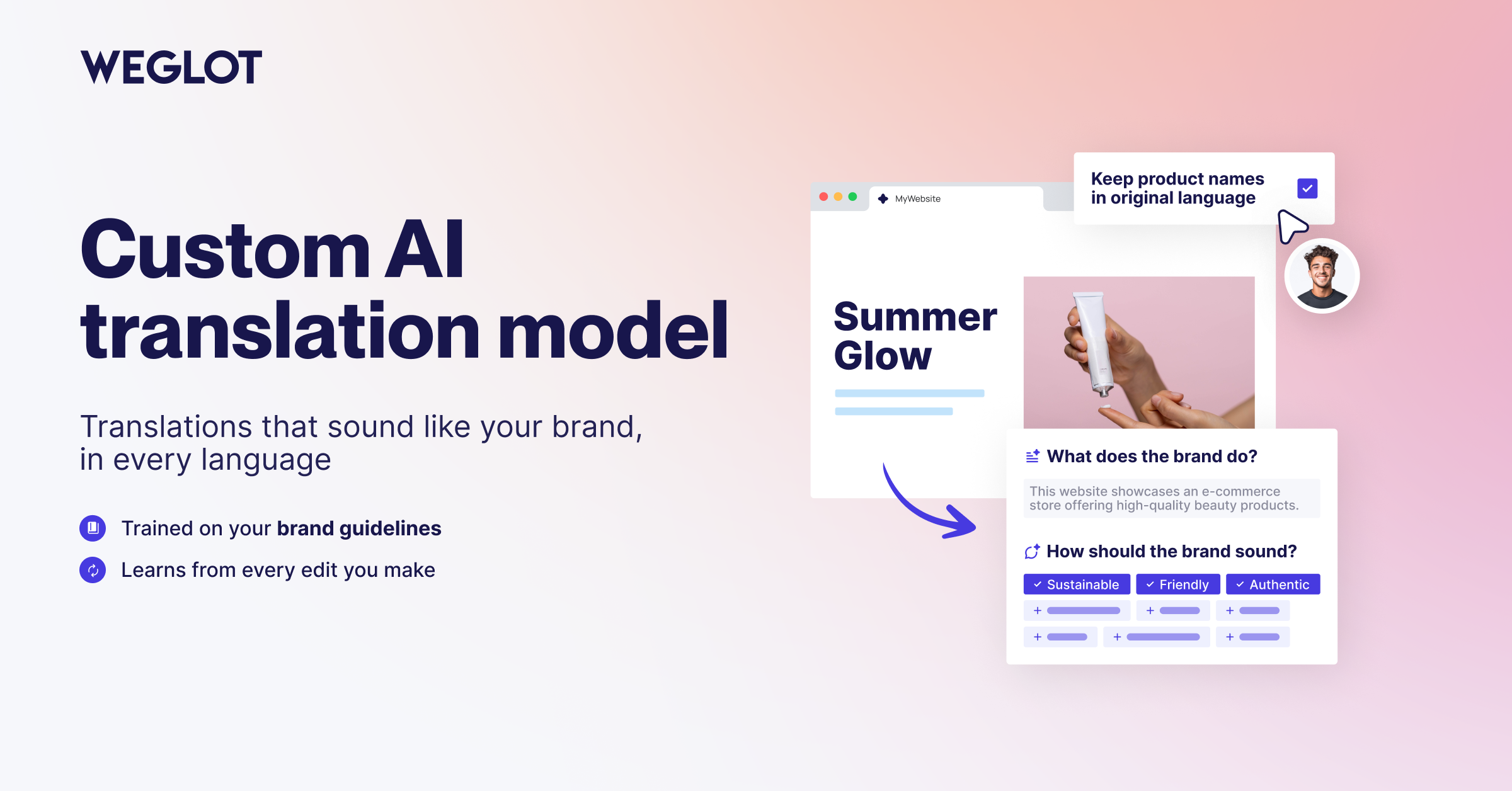
- A new AI Translation Model shaped by your Brand Profile and Translation Guidelines, for more accurate, context-aware translations that sound like you.
- A redesigned translation experience with a new dashboard, publishing workflow, Visual Editor, and Translation List.
- Image Translation to localize text inside your images directly from the Visual Editor.
- Weglot MCP to connect Weglot to your favorite AI assistant and update translations without opening the dashboard.
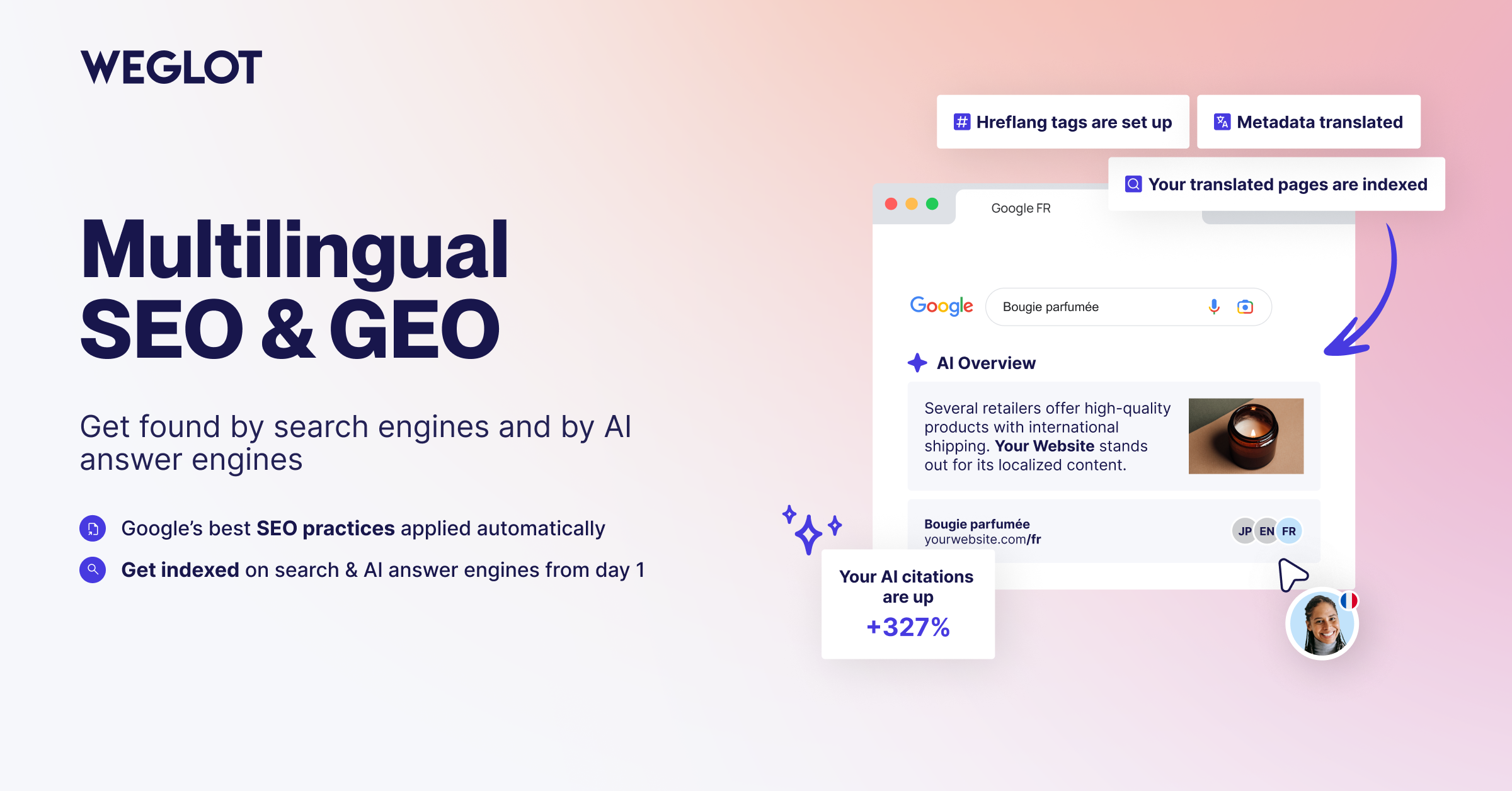
- Built-in multilingual visibility with multilingual SEO and GEO foundations: automatic hreflang tags, translated metadata, and publish or unpublish per language.
- New collaboration and analytics tools, including a dedicated Agency Workflow.
AI Translation Built Around Your Brand
Weglot’s AI Translation Model combines leading AI models with your Brand Profile, Translation Guidelines, and page context. Your translated content reads like your brand in every language, so you can publish with confidence.
- AI Translation Model shaped by your Brand Profile and Translation Guidelines for accurate, consistent translations.
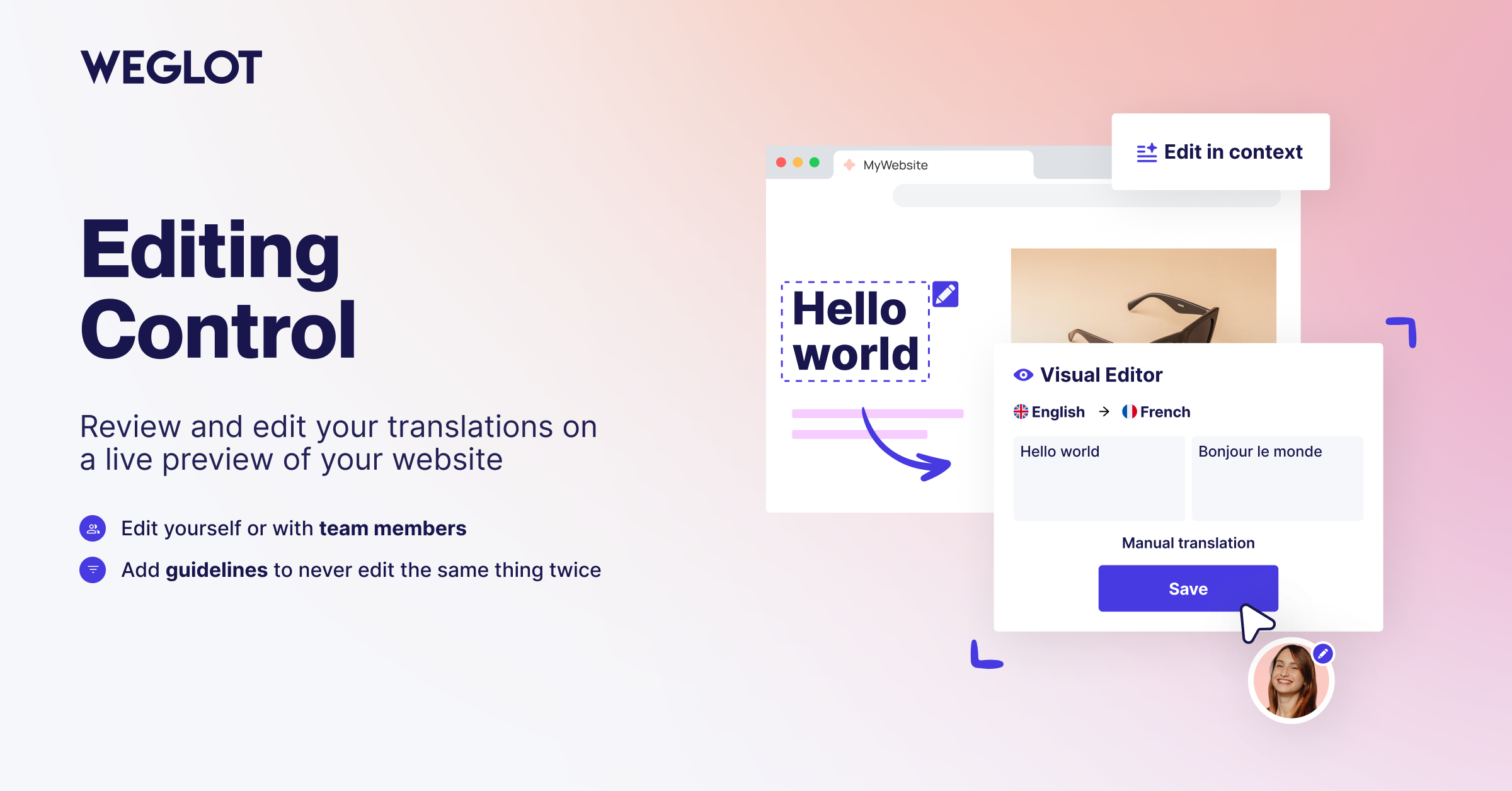
- In-context review in the Visual Editor: read and edit each translation on a live preview of your website.
- Translation List to search, filter, and manage every translation from one place.
- Full editing control: keep the AI translation, edit it yourself, or hand it to your team or your translators.
- 110+ γλώσσες διαθέσιμες, συμπεριλαμβανομένων των τοπικών παραλλαγών.
- Publishing workflow to control what gets translated and when each language goes live.
- Automatic content synchronization: when you publish new content, Weglot detects it and translates it, so your multilingual website stays up to date.
Multilingual SEO and GEO for WordPress
Weglot handles the technical foundations of multilingual SEO, so every translated page is ready to be discovered by search engines and by AI-powered answer engines.
- Language-specific URLs: subdirectories such as /es/ or /fr/, or subdomains, so each language is indexed separately.
- Automatic hreflang tags to tell search engines which language version to serve to which audience.
- Translated metadata, including page titles, meta descriptions, and translated slugs.
- Publish and unpublish per language to control exactly what is live in each market.
- Pages ready for indexing across search engines and AI-powered discovery experiences, in every market you localize for.
- Compatible with your SEO plugins, including Yoast SEO, Rank Math, and All in One SEO.
Image Translation and Weglot MCP
Not everything that needs translating is text on a page, and not every translation job starts in the dashboard.
- Image Translation: translate the text inside your images in one click from the Visual Editor while preserving the original design. Generate the translated image with AI or import your own.
- Weglot MCP: connect Weglot to your favorite AI assistant to review translations, manage projects, and update content using natural language.
Δυνατότητες μετάφρασης WooCommerce
Translate and localize your entire WooCommerce store, so shoppers buy in their own language:
- Περιγραφές προϊόντων, κατηγορίες και χαρακτηριστικά.
- Σελίδες καλαθιού αγορών, ολοκλήρωσης αγοράς και λογαριασμού.
- Customer emails in the shopper’s own language.
- Μετα-δεδομένα και ταξινομίες ειδικά για το WooCommerce.
Built for Teams and Agencies
Weglot 2.0 adds the tooling teams and agencies need to run multilingual projects at scale.
- Agency Workflow to manage client websites and multilingual projects in one place.
- Word Count for clear visibility into how much content you translate.
- Team collaboration to invite members and assign translation work.
- Pro plans unlock unlimited languages, higher word counts, advanced multilingual SEO, multisite support, and priority support.
Why Teams Choose Weglot
Weglot’s AI Translation Model works from your brand, your guidelines, and your audience, because a good translation is one that fits the company it belongs to. Weglot 2.0 detects all of your content automatically, whether you run a blog, a marketing site, or a WooCommerce store, so you never duplicate pages or maintain PO files by hand. Your translations are served from the cloud, which keeps your database light and your WordPress site fast as you add languages and markets.
Αποδεδειγμένα Παγκόσμια Αποτελέσματα
- The Bradery: scaled their fashion ecommerce store to 500+ daily product translations while keeping their catalogue consistent in every language.
Η μεγαλύτερη νίκη για εμάς είναι ο χρόνος που έχουμε κερδίσει. Μας παίρνει περίπου δέκα λεπτά δύο φορές την εβδομάδα για να ελέγξουμε ότι όλα λειτουργούν όπως τα θέλουμε. Όλα τα άλλα γίνονται από το Weglot.*↵ Adèle Aubry – Υπεύθυνη ηλεκτρονικού εμπορίου, The Bradery
- REVIEWS.io: Πέτυχε αύξηση 120% στην επισκεψιμότητα από τη Γερμανία και αύξηση 20% στις μετατροπές μετά την τοπικοποίηση με τη ροή εργασίας που βασίζεται στην τεχνητή νοημοσύνη.
Χρειαζόμασταν ένα προϊόν που θα αύξανε δραματικά την ταχύτητα μετάφρασης του ιστότοπου. Η δυσκίνητη χειροκίνητη κωδικοποίηση ήταν χρονοβόρα, αλλά με το Weglot είναι γρήγορη και εύκολη.*↵ Rich Ball, Διευθυντής Μάρκετινγκ, REVIEWS.io
- Ron Dorff: now generates 70% of their revenue from international markets with a fully localized customer experience.
Weglot interface is really friendly and easy to use. You can find all your content in a few clicks and then translate it quickly and efficiently.
Jamila Halloum, Digital Marketing Director at Ron Dorff.
Get Started
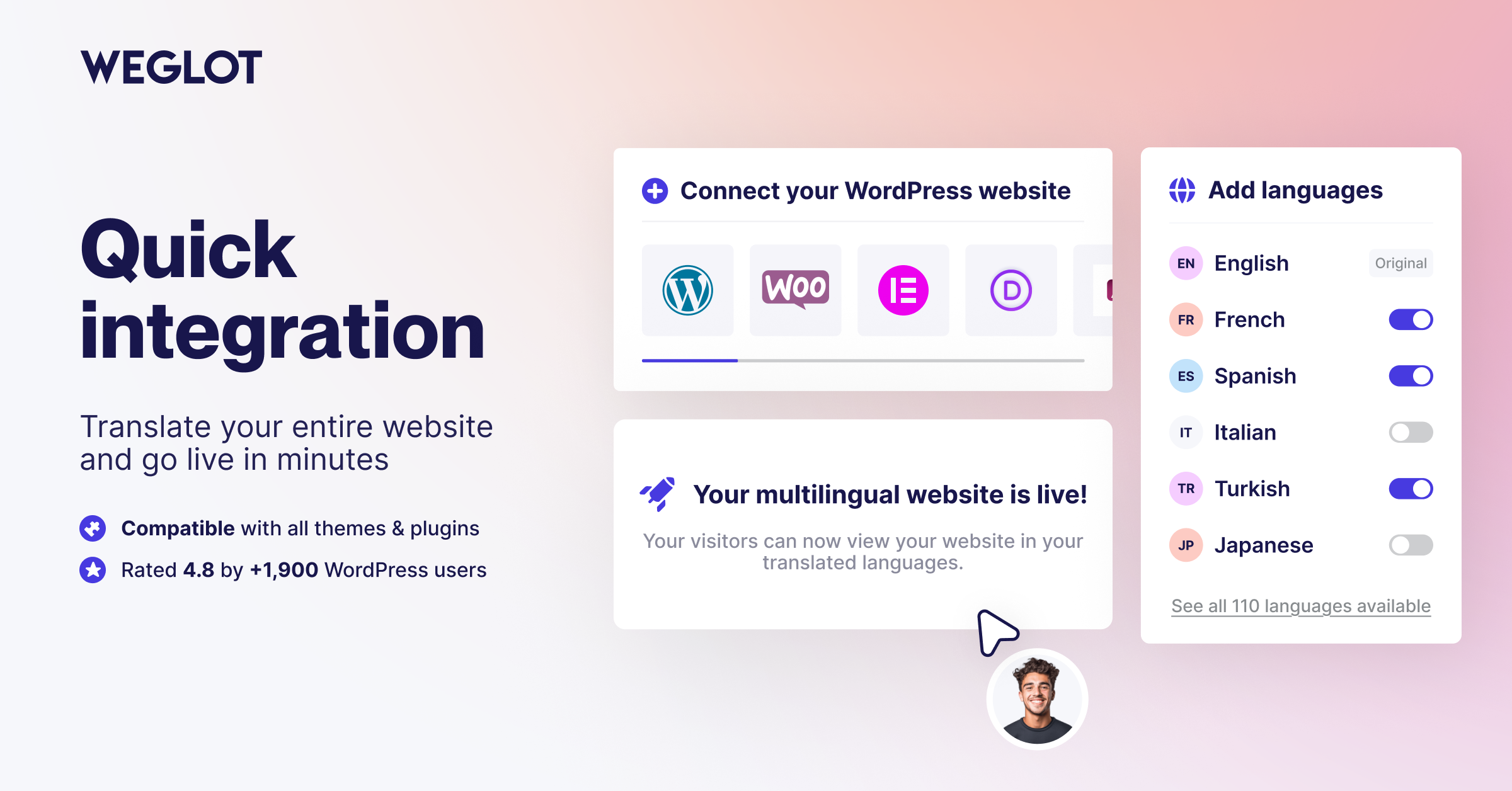
Install the plugin from your WordPress dashboard, connect your Weglot account, and select the languages you want. Weglot translates your website and puts every translation in front of you to review before you publish.
Create your free account: https://auth.weglot.com/register/wordpress?utm_source=wordpress.org&utm_medium=plugin-directory&utm_campaign=readme
Σημαντικοί σύνδεσμοι
- https://www.weglot.com/
- https://www.weglot.com/terms
- https://www.weglot.com/security
Χρησιμοποιώντας αυτό το πρόσθετο, συμφωνείτε με τους όρους και τις πολιτικές της Weglot. Ανατρέξτε σε αυτά τα κείμενα για να κατανοήσετε πώς διαχειρίζονται και προστατεύονται τα δεδομένα και το περιεχόμενό σας.
If you decide to stop using Weglot, your website will no longer be translated. All translations are stored on Weglot’s servers. However, you can export all your translations using our import/export feature before discontinuing the service to save your translations. More details on how to do this can be found here: https://support.weglot.com/article/206-can-i-export-my-translations. If you do not have access to this feature, you can request support from Weglot to assist with the export before you leave.
Στιγμιότυπα
Μπλοκς
Αυτό το πρόσθετο παρέχει 2 μπλοκς.
- Weglot Widget Weglot switcher widget
- Weglot Widget menu Weglot switcher menu
Συχνές Ερωτήσεις
Πώς μπορώ να μεταφράσω το WordPress με το Weglot;
To translate WordPress with Weglot, install the plugin, add your API key, and select your languages. Weglot detects all of your content, including pages, posts, and WooCommerce products, and translates it with its AI Translation Model. You then review each translation in context and publish when you are happy with it.
What is Weglot 2.0?
Weglot 2.0 builds on the Weglot you know. It brings a new AI Translation Model that translates around your brand, a redesigned translation experience with a new dashboard, Visual Editor and Translation List, Image Translation, and built-in multilingual visibility for SEO and GEO.
Why does the plugin version not say 2.0?
Weglot 2.0 is the name of the product generation, not the plugin release number. The plugin keeps its own version numbering, which is what you see in your WordPress dashboard when an update is available.
What is a translation plugin for WordPress?
A translation plugin for WordPress creates and serves translated versions of your content without duplicating your site. Weglot detects your content, translates it with AI built around your brand, and gives you a Visual Editor to review and refine every translation before it goes live.
Πώς να μεταφράσω αυτόματα το WordPress;
To translate WordPress automatically, Weglot scans and translates your content as soon as you publish it. Your translations stay synchronized across all languages, and you keep full control to review and edit any translation in the Visual Editor.
Μπορώ να μεταφράσω το WordPress με AI;
Yes, you can translate WordPress with AI using Weglot’s AI Translation Model. It combines leading AI models with your Brand Profile, Translation Guidelines, and page context to produce translations that match the way your brand speaks in every language.
Can Weglot translate the text inside my images?
Yes. With Image Translation, you translate the text inside an image in one click from the Visual Editor, and Weglot preserves the original design. You can generate the translated image with AI or import your own version.
Μεταφράζει το Weglot το WooCommerce;
Ναι, το Weglot μεταφράζει πλήρως τα καταστήματα WooCommerce, από τον κατάλογο προϊόντων έως την εμπειρία ολοκλήρωσης αγοράς. Εξασφαλίζει μια τοπική διαδρομή αγοραστή, η οποία είναι κρίσιμη για την αύξηση των διεθνών ποσοστών μετατροπών.
Πώς μεταφράζω τα προϊόντα WooCommerce;
To translate WooCommerce products, activate Weglot and it automatically detects your product titles, descriptions, and attributes. Use your Translation Guidelines to keep product names or brand terms in the original language, so your catalogue stays consistent across markets.
Μπορεί το Weglot να μεταφράσει τα email του WooCommerce;
Ναι, μπορείτε να μεταφράσετε τα email του WooCommerce με το Weglot για να διασφαλίσετε ότι οι πελάτες σας λαμβάνουν επιβεβαιώσεις παραγγελιών και ενημερώσεις αποστολής στη δική τους γλώσσα, παρέχοντας μια επαγγελματική εμπειρία μετά την αγορά.
Πώς να κάνετε το WordPress πολύγλωσσο;
Για να κάνει το WordPress πολύγλωσσο, το Weglot δημιουργεί ειδικούς υποκαταλόγους (όπως /es/ ή /fr/) για κάθε γλώσσα. Αυτή η προσέγγιση συνιστάται από την Google για SEO και διασφαλίζει ότι κάθε μεταφρασμένη σελίδα καταχωρείται ξεχωριστά.
Υποστηρίζει το Weglot πολυγλωσσικό SEO;
Το Weglot υποστηρίζει πολύγλωσσο SEO προσθέτοντας αυτόματα ετικέτες hreflang και μεταφράζοντας τα μεταδεδομένα σας. Αυτό βοηθά τις μηχανές αναζήτησης να κατανοήσουν ποια έκδοση του ιστότοπού σας να εμφανίζουν στους χρήστες σε διαφορετικές χώρες. Το εργαλείο μετάφρασης σάς επιτρέπει επίσης να επιλέγετε εύκολα διαφορετικές δομές ιστότοπου, όπως υποκαταλόγους και υποτομείς (subdomains).
Will my translated pages show up in AI search?
Weglot builds the multilingual SEO and GEO foundations that AI-powered answer engines rely on: language-specific URLs, hreflang tags, translated metadata, and pages ready for indexing. Your translated pages are ready to be discovered across search engines and AI-powered discovery experiences.
Μπορώ να μεταφράσω τις διευθύνσεις URL του WordPress;
Ναι, μπορείτε να μεταφράσετε τις διευθύνσεις URL του WordPress με το Weglot. Η τοπική προσαρμογή των μόνιμων συνδέσμων (π.χ. από /shop/ σε /boutique/) βελτιώνει την κατάταξή σας στις μηχανές αναζήτησης και κάνει τον ιστότοπό σας να φαίνεται πιο αυθεντικός στους τοπικούς χρήστες.
Does Weglot work with Elementor, Divi, and other page builders?
Ναι, το Weglot συνεργάζεται με κατασκευαστές δημιουργίας σελίδων WordPress όπως τα Elementor, Divi, Gutenberg και Beaver Builder. Επειδή το εργαλείο μετάφρασης μας μεταφράζει περιεχόμενο σε επίπεδο πηγαίου κώδικα, μπορεί να ανιχνεύσει και να μεταφράσει κείμενο μέσα σε οποιοδήποτε στοιχείο σχεδίασης ή γραφικό στοιχείο χωρίς να διαταράξει τη διάταξή σας ή να απαιτήσει προσαρμοσμένη ενσωμάτωση.
Είναι το το Weglot συμβατό με άλλα πρόσθετα SEO;
Weglot is compatible with SEO plugins such as Yoast SEO, Rank Math, and All in One SEO. Weglot handles the technical side of multilingual SEO, like hreflang tags and translated metadata, and works alongside the SEO tools you already use.
Πώς χειρίζεται το Weglot τις νέες ενημερώσεις περιεχομένου;
Weglot scans your website for new posts and changes. Once detected, the new content is translated with your AI Translation Model and added to your Translation List, so you can review it and publish it in every language.
Μπορώ να χρησιμοποιήσω ένα προσαρμοσμένο σχέδιο εναλλαγής γλώσσας;
Ναι, μπορείτε να χρησιμοποιήσετε ένα προσαρμοσμένο σχέδιο εναλλαγής γλώσσας με το Weglot. Ενώ παρέχουμε πολλά ενσωματωμένα στυλ (συμπεριλαμβανομένων σημαιών και αναπτυσσόμενων μενού), μπορείτε επίσης να χρησιμοποιήσετε προσαρμοσμένο CSS που να ταιριάζει με την επωνυμία του ιστότοπού σας. Μπορείτε να τοποθετήσετε τον επιλογέα στο μενού σας, ως γραφικό στοιχείο ή οπουδήποτε στη σελίδα χρησιμοποιώντας ένα σύντομο κωδικό.
Είναι τα δεδομένα μετάφρασης μου ασφαλή και ιδιωτικά;
Τα δεδομένα μετάφρασης σας είναι ασφαλή και ιδιωτικά με το Weglot. Συμμορφωνόμαστε πλήρως με τον GDPR και χρησιμοποιούμε κρυπτογραφημένες συνδέσεις για την επεξεργασία του περιεχομένου σας. Η αρχική σας βάση δεδομένων παραμένει ανέπαφη και διατηρείτε την πλήρη κυριότητα όλων των μεταφράσεών σας, οι οποίες μπορούν να εξαχθούν ανά πάσα στιγμή εάν αποφασίσετε να αλλάξετε υπηρεσίες.
Κριτικές


Συνεισφέροντες & Προγραμματιστές
“Translate WordPress with Weglot 2.0 – Multilingual AI Translation” είναι λογισμικό ανοιχτού κώδικα. Οι παρακάτω έχουν συνεισφέρει στη δημιουργία του.
Συντελεστές


Το “Translate WordPress with Weglot 2.0 – Multilingual AI Translation” έχει μεταφραστεί σε 28 γλώσσες. Ευχαριστούμε τους μεταφραστές για τις συνεισφορές τους.
Μεταφράστε το “Translate WordPress with Weglot 2.0 – Multilingual AI Translation” στην γλώσσα σας.
Ενδιαφέρεστε για την ανάπτυξη;
Περιηγηθείτε στον κώδικα, ανατρέξτε στο αποθετήριο SVN ή εγγραφείτε στο αρχείο καταγραφής αλλαγών ανάπτυξης μέσω RSS .
Σύνοψη αλλαγών
6.4.1 (30/09/2026)
- Fix: The front end no longer shows a fatal error (Cannot unset string offsets) when the Weglot CDN refuses the API key, for example right after a wrong key was set. The site is served untranslated instead, until the key is corrected.
- Improvement: The settings cache is now refreshed automatically when the API key changes (database key replaced by the WEGLOT_API_KEY_PRIVATE constant, key rotation, wrong key corrected), so clearing the transients by hand is no longer needed.
Older versions
Το πλήρες αρχείο καταγραφής αλλαγών βρίσκεται στο αρχείο changelog.md στον φάκελο του προσθέτου.