
Περιγραφή
View WPListCal plugin information using the JSON API plugin with this simple WordPress plugin.
After installing and activating you can use the upcomming events in your external applications.
Στιγμιότυπα
Εγκατάσταση
The automatic plugin installer should work for most people. Manual installation is easy and takes fewer than five minutes.
- Create a wplistcal-json directory in your plugins directory. Typically that’s wp-content/plugins/wplistcal-json/.
- Into this new directory upload the plugin files (wplistcal-json.php, etc.)
- Activate the plugin through the ‘Plugins’ menu in WordPress.
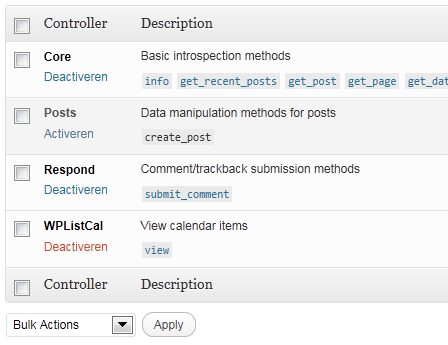
- Activate the ‘WPListCal’ controller through the ‘JSON API’ options page.
Συχνές Ερωτήσεις
- Does it work with older versions of WordPress?
-
I don’t know, try it and let me know.
Κριτικές
Δεν υπάρχουν αξιολογήσεις για αυτό το πρόσθετο.
Συνεισφέροντες & Προγραμματιστές
“WPListCal JSON” είναι λογισμικό ανοιχτού κώδικα. Οι παρακάτω έχουν συνεισφέρει στη δημιουργία του.
Συντελεστές
Μεταφράστε το “WPListCal JSON” στην γλώσσα σας.
Ενδιαφέρεστε για την ανάπτυξη;
Περιηγηθείτε στον κώδικα, ανατρέξτε στο αποθετήριο SVN ή εγγραφείτε στο αρχείο καταγραφής αλλαγών ανάπτυξης μέσω RSS .
Σύνοψη αλλαγών
1.1
- Bugfix: Sorting results
1.0
- Initial release